iterion
← Documentation index · ← Iterion
Human in the loop
Most iterion nodes run unattended. But some decisions want a person — an approval before a deploy, a missing requirement only a human knows, a “does this look right?” gate before a merge. Iterion makes that a first-class, resumable part of the graph: a run can pause, wait for a human (for seconds or for days), and pick up exactly where it left off.
This page covers the human node, the four interaction modes, the form
the studio renders, and every way to answer (studio, CLI, HTTP).
The human node
A human node presents instructions (rendered markdown) and collects
answers shaped by its output schema. When the run reaches it, it
emits human_input_requested, writes the question to
interactions/<id>.json, and transitions the run to
paused_waiting_human — a durable, resumable checkpoint (see
resume.md).
human approval:
  instructions: approval_instructions   # a prompt: block, shown as markdown
  output: approval_decision             # the schema → drives the form widgets
  interaction: human                    # default for human nodes (see modes below)
The output schema is the form. Each field type maps to a widget:
| Schema field | Widget |
|---|---|
string |
text field / multi-line text area |
string [enum: "a", "b", …] |
single-select (radio / dropdown) |
bool |
Yes / No |
int, float |
number field |
string[] |
repeatable list |
The studio walks the fields one question at a time, with the
instructions: markdown pinned above:
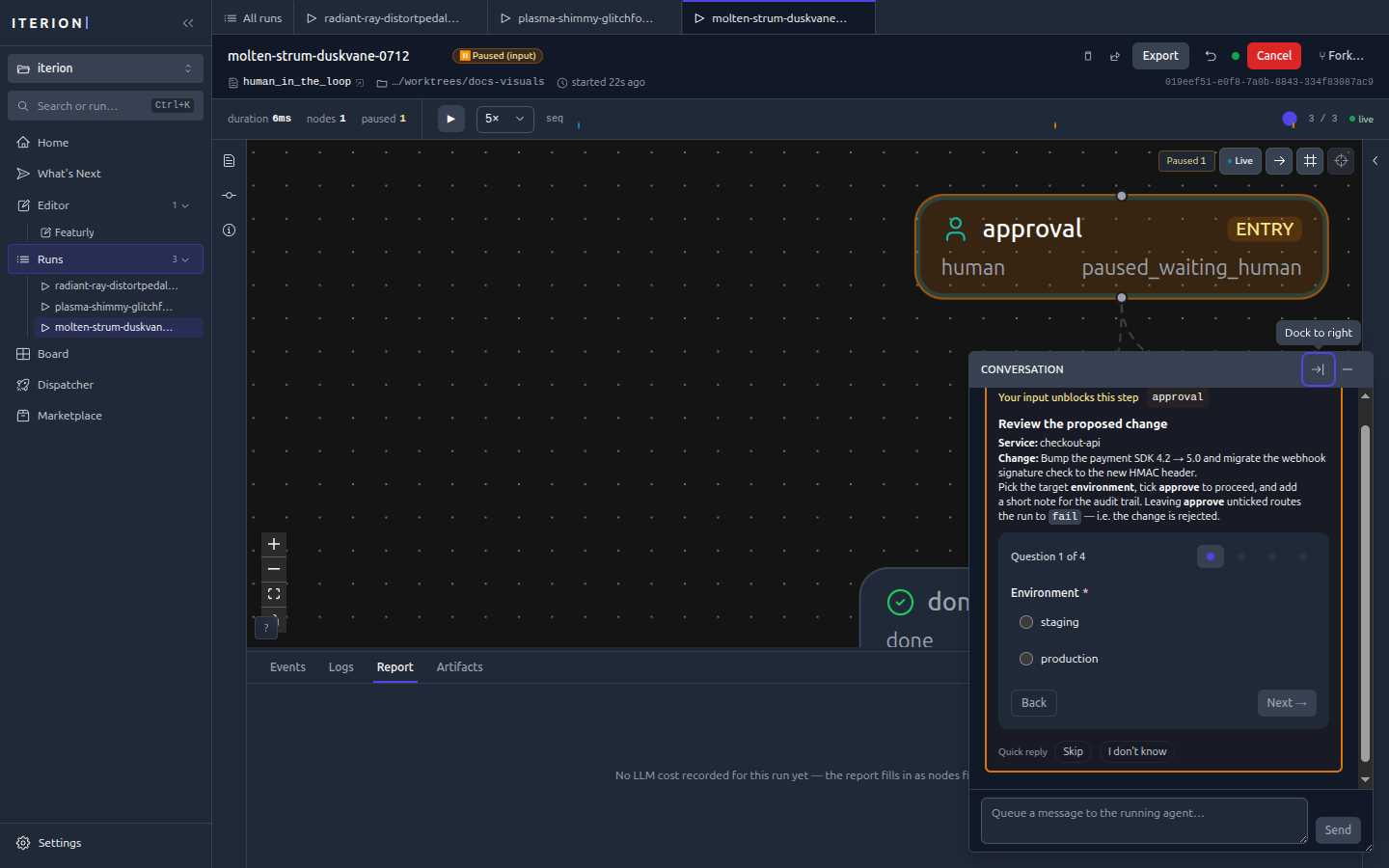
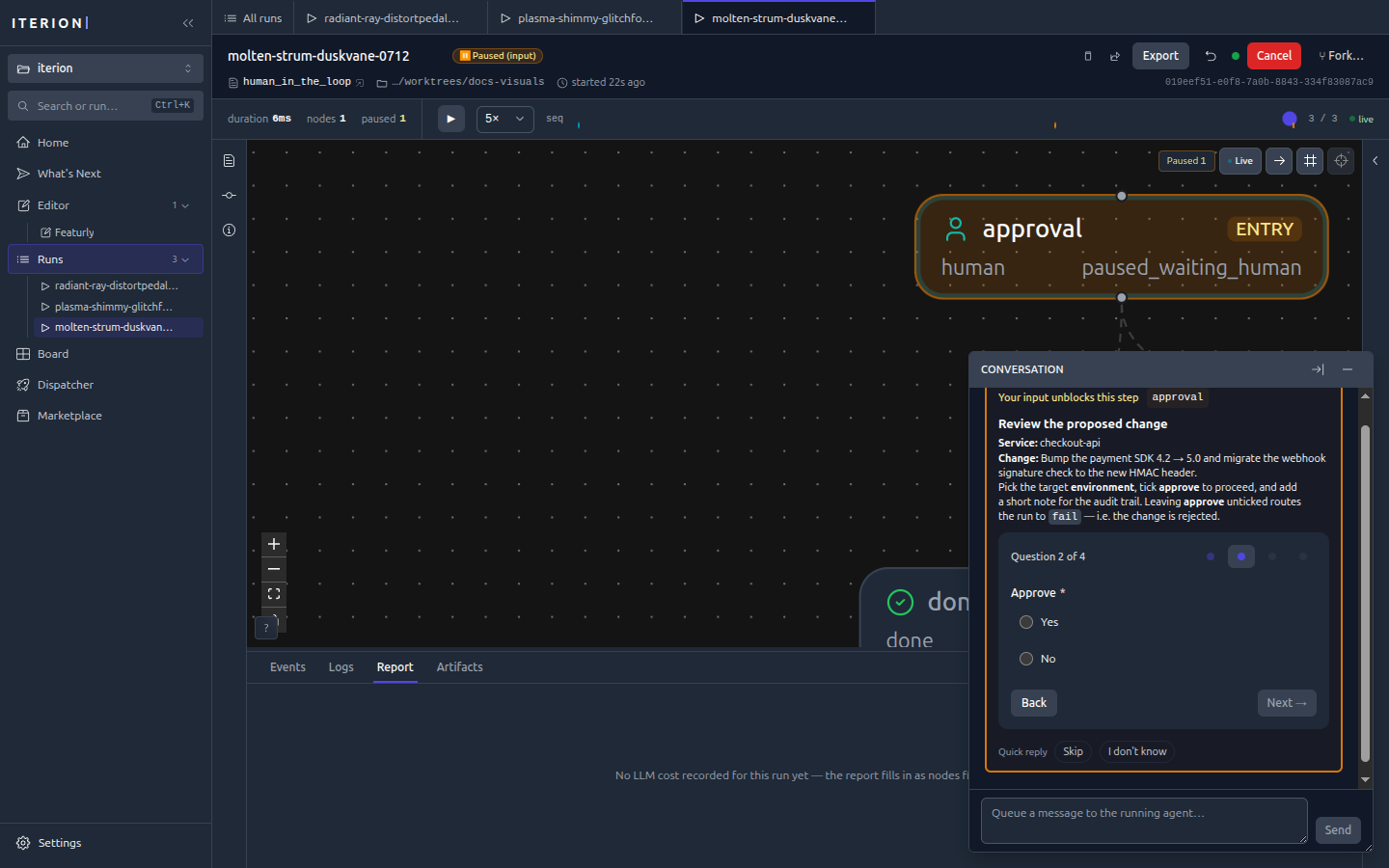
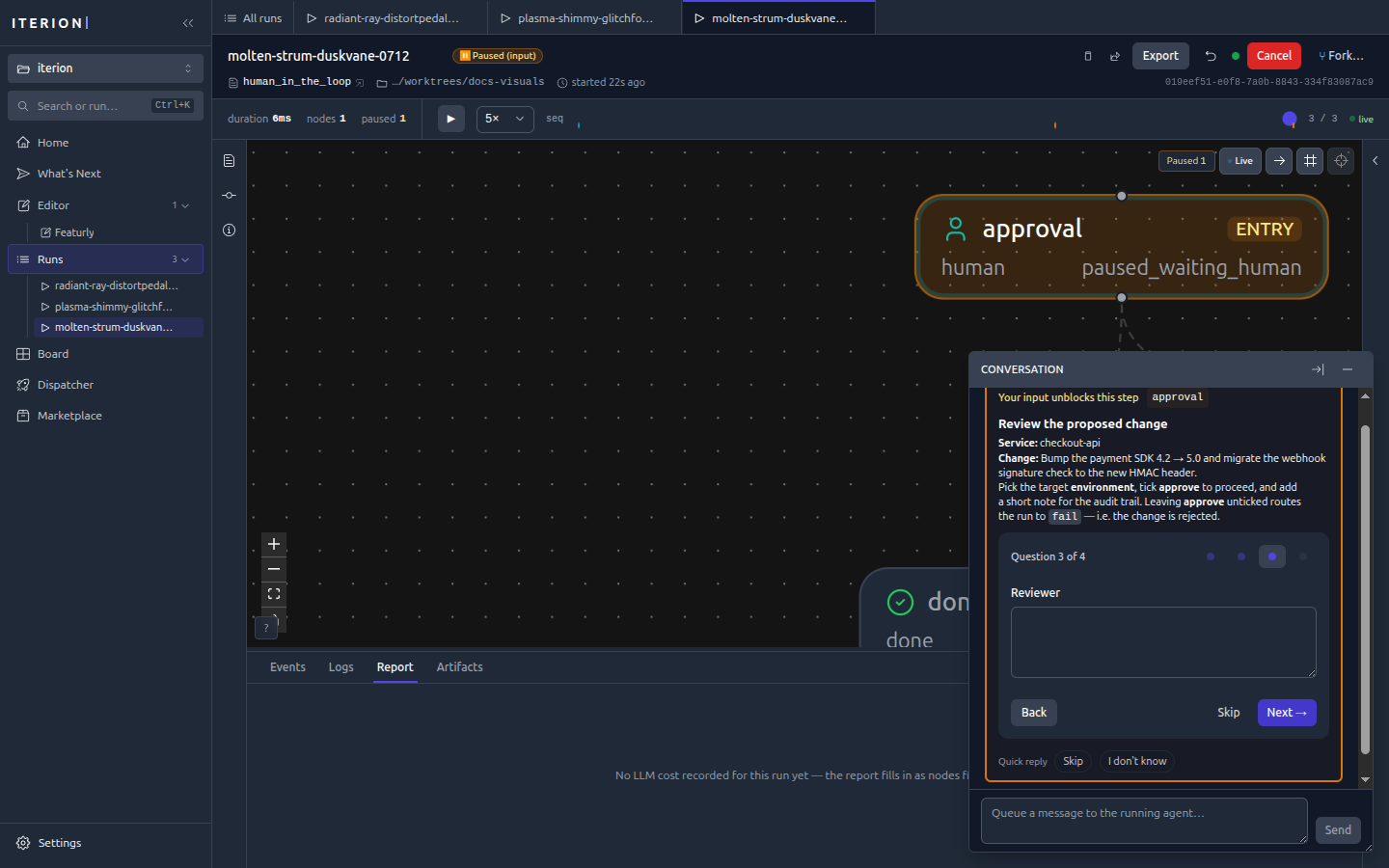
Different field types render their matching widget — a bool as Yes / No,
a string as a free-text area:
Try it — a minimal example
examples/human-in-the-loop.bot is
a self-contained demo whose entry node is a human node, so it pauses
immediately — no LLM, no tools, free to run:
iterion run examples/human-in-the-loop.bot
# → Status: PAUSED (waiting for human input)

# answer it headless and let it route to done/fail:
iterion resume --run-id <id> \
  --answer environment=staging --answer approve=true \
  --answer reviewer="Ada" --answer notes="LGTM"
…or open the run in the studio (iterion studio) and fill the form in
the run console.
Interaction modes
A node’s interaction: field decides who answers. The default for a
human node is human (always pause); the others let an LLM stand in,
fully or conditionally.
flowchart TD
  Q["A node needs an answer<br/>(human node, or ask_user mid-step)"]
  Q --> MODE{"interaction:"}
  MODE -- "human<br/>(default)" --> H(["pause → paused_waiting_human<br/>a person answers"])
  MODE -- "llm" --> L(["an LLM answers automatically<br/>the run never blocks"])
  MODE -- "llm_or_human" --> D{"LLM confident?"}
  D -- "yes" --> L
  D -- "no" --> H
  MODE -- "review" --> R(["companion-driven review &<br/>squash-merge gate"])
| Mode | Behaviour | Use it when |
|---|---|---|
human |
Always pause for a person. | Approvals, gates, anything needing real judgment. |
llm |
An LLM answers automatically; the run never blocks. | Unattended pipelines, chat bots that must not stall (e.g. examples/clarify/main.bot). |
llm_or_human |
The LLM answers when confident, else escalates to a human. | Cut routine pauses while keeping a human backstop. |
review |
A companion LLM walks a reviewer through testing the change, ending in a squash-merge — see review-merge-gate.md. | Ship gates. |
Modes are also why the same workflow can run fully autonomously in cloud mode (LLM answers) and interactively on a desk (human answers) with no graph changes.
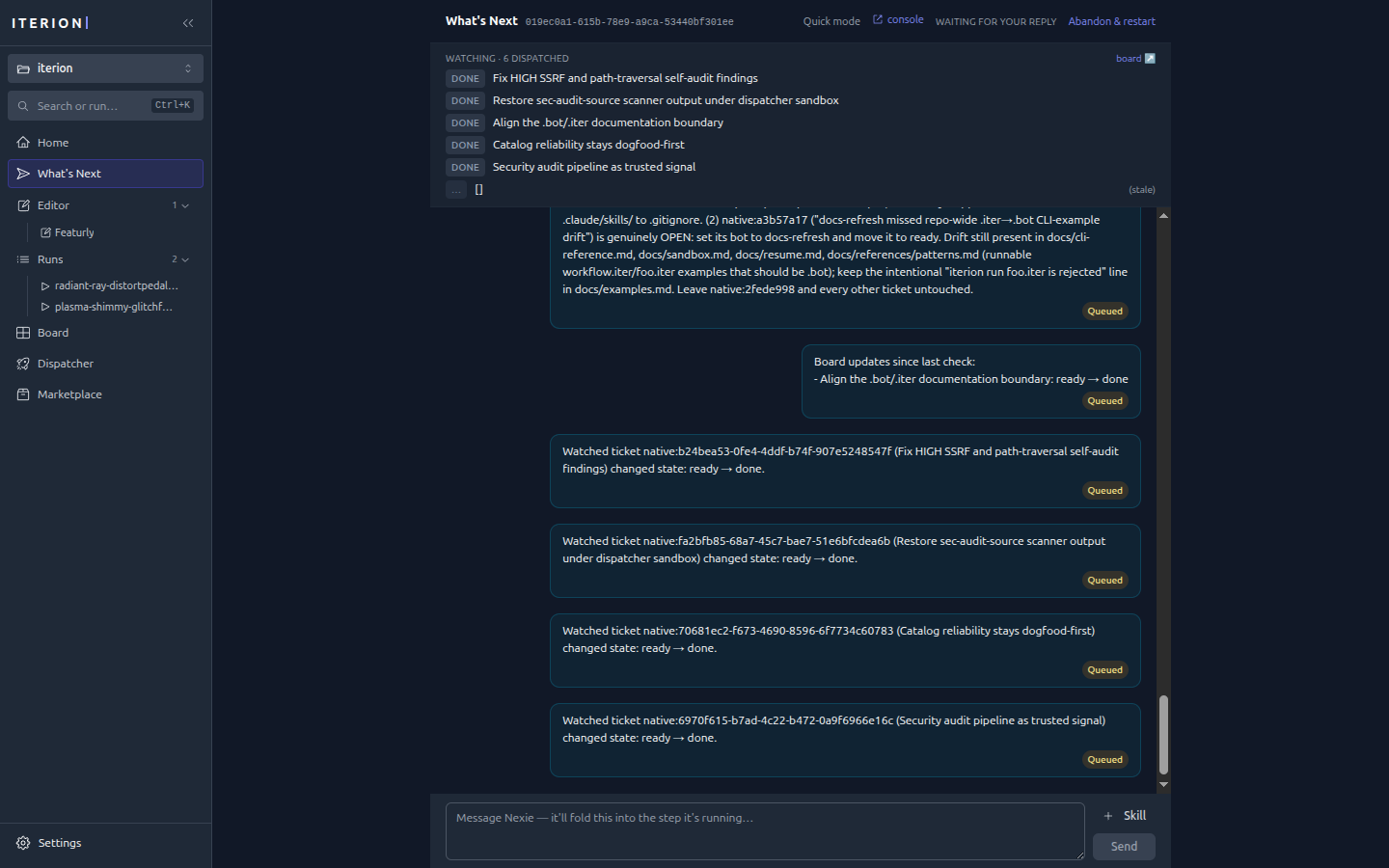
Conversational human gates (Nexie & co.)
Bots like Nexie (whats-next) use human
nodes as a back-and-forth: the studio surfaces the question inline in the
run’s conversation, you reply in prose, and you can also queue a message
to the running agent to steer it mid-step.
Answering a paused run
A paused_waiting_human run is resumable from anywhere:
- Studio — open the run; the form is in the run console’s conversation panel. Answer and the run resumes live.
- CLI —
iterion resume --run-id <id> --answer key=value(repeatable) or--answers-file answers.json. Values are coerced to the schema ("true"→bool, enum membership checked). - HTTP —
POST /api/runs/{id}/resumewith the answers map (this is what cloud webhooks and the SDK use).
Every exchange is persisted to interactions/<id>.json, so the question,
the answers, and who answered are all part of the run’s auditable record
(persisted-formats.md).
See also
- dsl.md —
humannode +interaction:syntax reference - resume.md — pause/resume/failure matrix
- review-merge-gate.md — the
interaction: reviewgate - visual-editor.md — the run console that renders forms