iterion
← Documentation index · ← Iterion
Visual Editor (web)
Iterion includes a browser-based visual workflow editor built with React and XYFlow. Served by your local iterion binary — no installation beyond the CLI.
iterion studio                     # Launch on default port (4891), opens browser
iterion studio --port 8080         # Custom port
iterion studio --dir ./workflows   # Custom working directory
iterion studio --bind 0.0.0.0      # Expose on the LAN (default 127.0.0.1)
iterion studio --bots-path ./bots  # Add a bot discovery path (repeatable; feeds the Launch modal)
iterion studio --no-browser        # Don't auto-open browser
iterion studio --no-browser-pane   # Disable the run console's Browser pane
See cli-reference.md #iterion-studio for the full flag set
(networking, attachments, bot discovery).
What you get
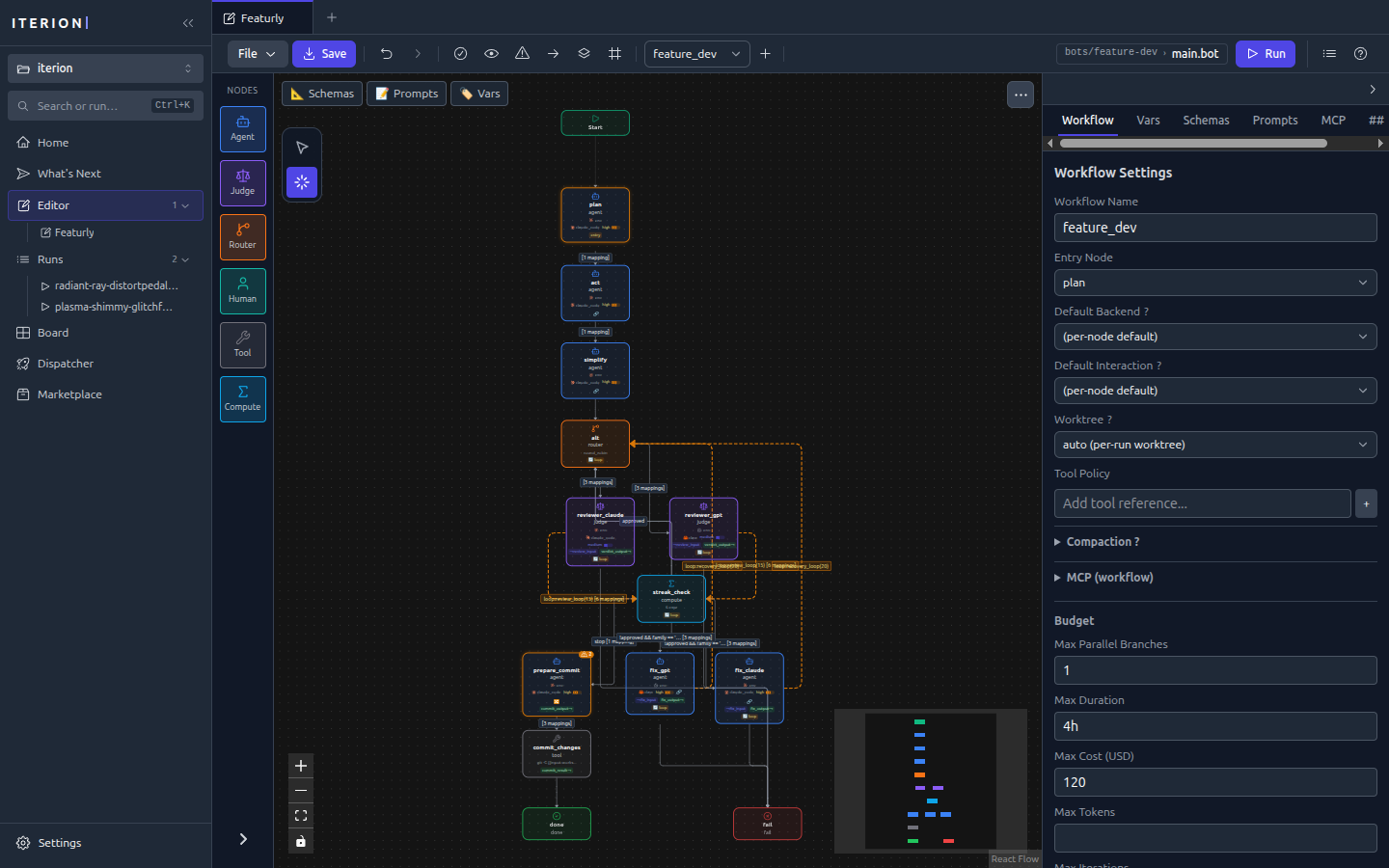
- Canvas — Drag-and-drop node graph with auto-layout, zoom, search, and keyboard shortcuts
- Node library — Drag pre-built node types (agent, judge, router, human, tool, compute) onto the canvas
- Property editor — Edit node properties, schemas, prompts, and edge conditions in a side panel
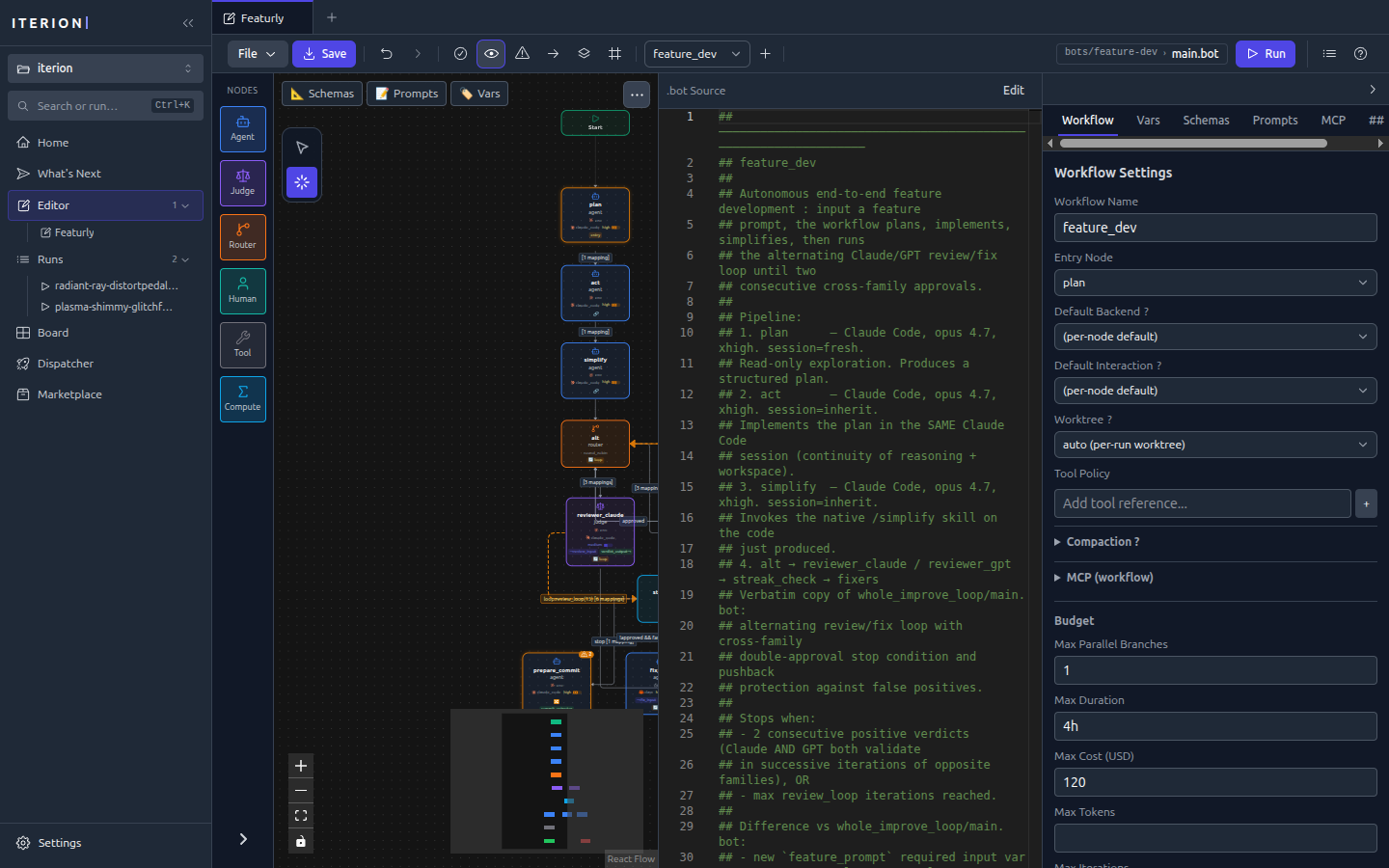
- Source view — Split-pane view showing the raw workflow source (
.bot/.bot) alongside the visual graph - Live diagnostics — Real-time validation errors and warnings as you edit (codes C001–C086, sparse)
- File watching — Detects external file changes via WebSocket and syncs automatically
- Undo/redo — Full edit history
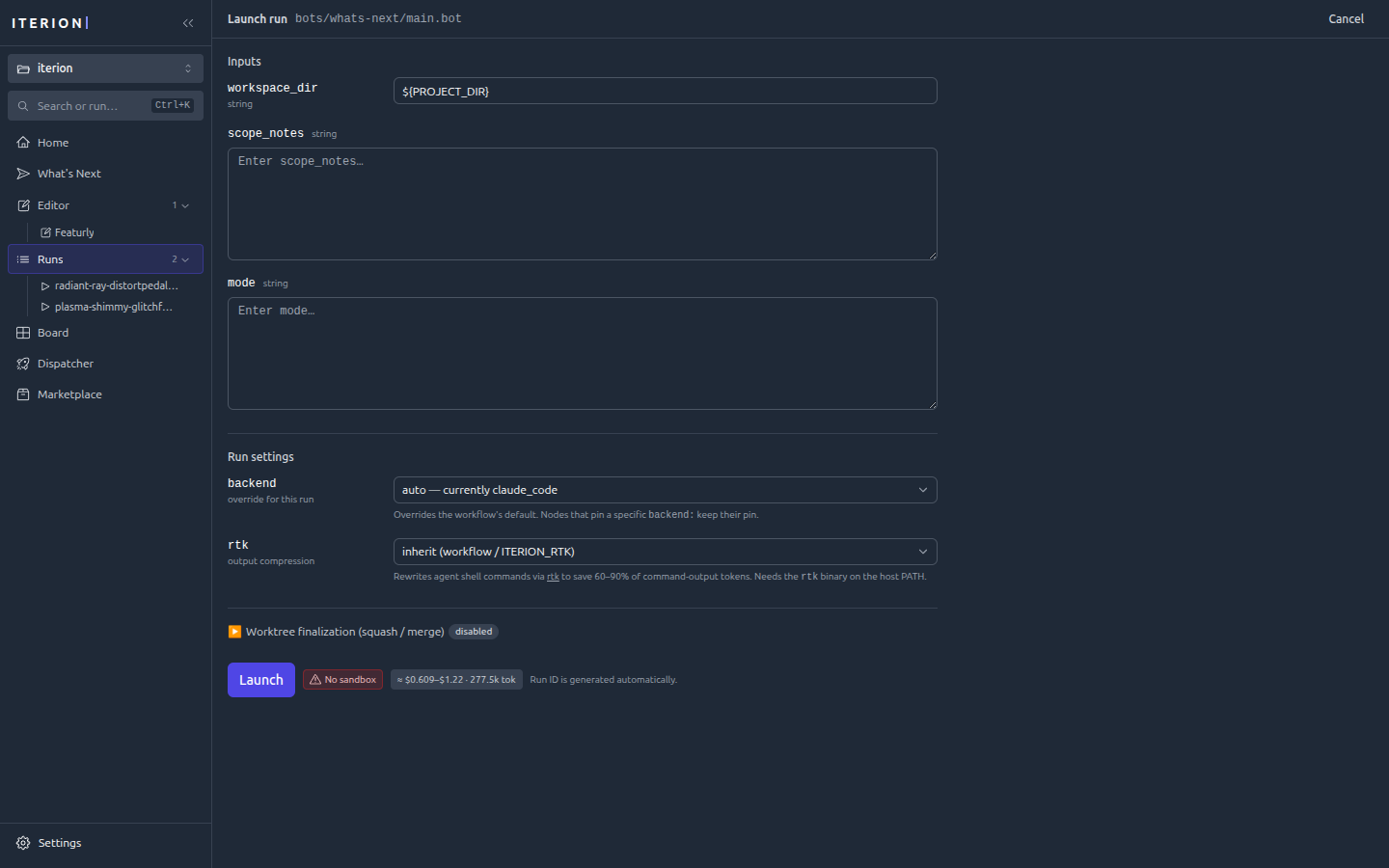
- Launch modal — Fills
varsand attachments at launch time, with bot/argument discovery driven by--bots-path(the modal’s bot picker and argument form consume the same catalogueiterion bots listemits) - Kanban
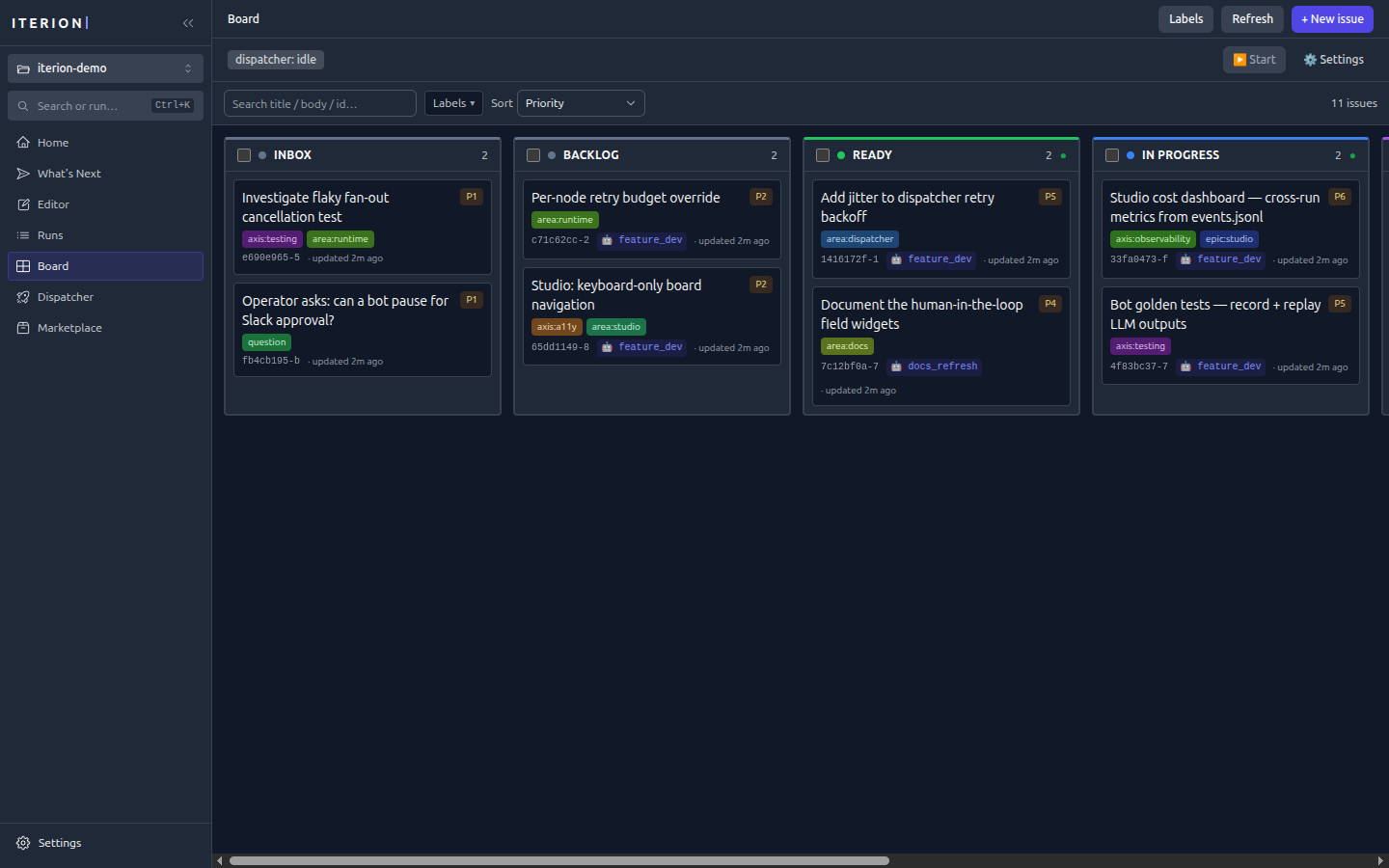
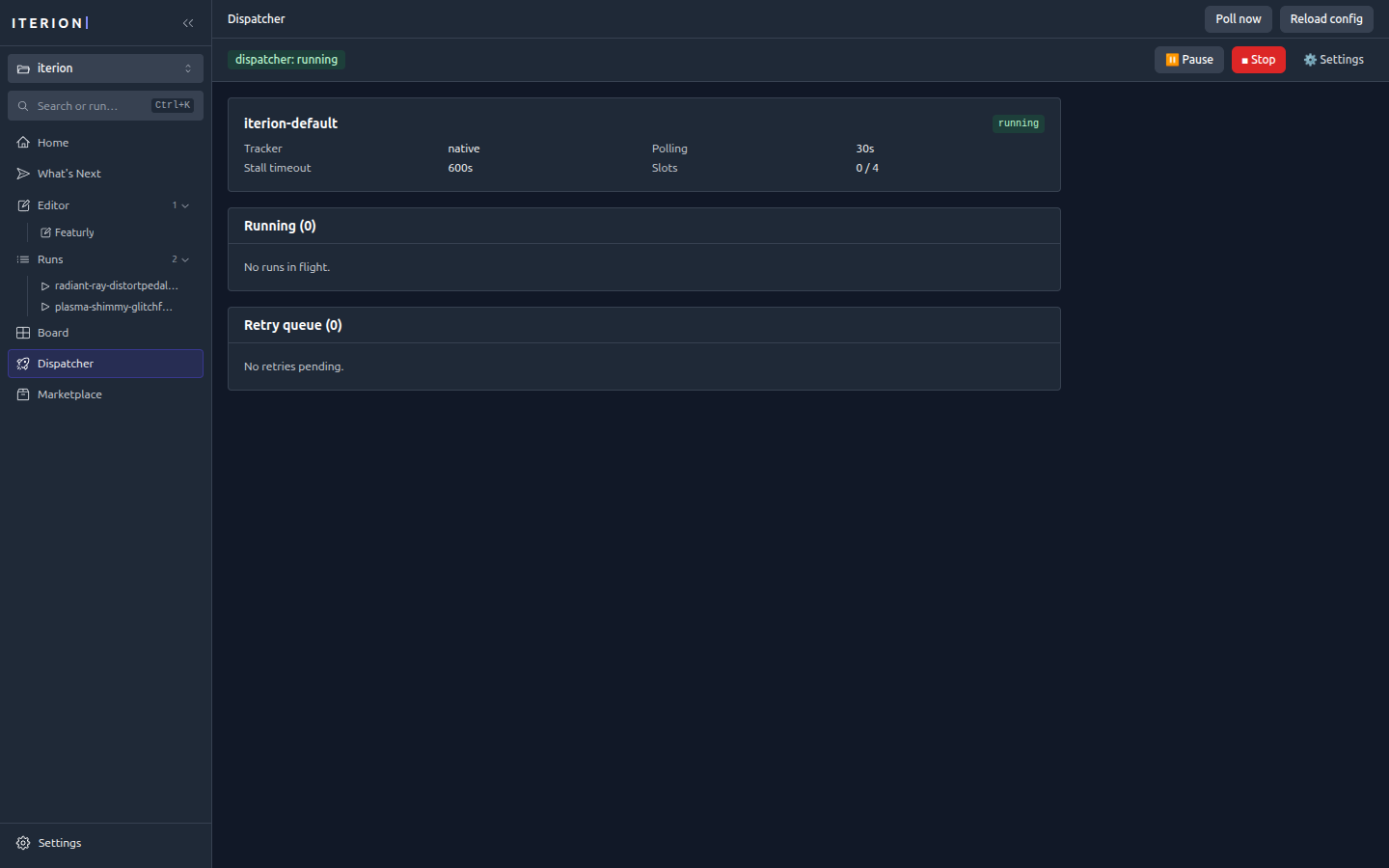
/boardview — Native tracker CRUD with drag-and-drop (gated onserver_info.native_tracker_enabled; see native-tracker.md) /dispatcherdashboard — Live running + retry tables wheniterion dispatchis wired (gated onserver_info.dispatcher_enabled; see dispatcher.md)- Browser pane — Preview URLs, live CDP screencast, and time-travel screenshots tied to a run (see browser-pane.md). Disable with
--no-browser-pane. - Run console — Launch a workflow from the studio and watch events stream live
This mode is the simplest way to design and iterate locally. If you want a packaged native window instead (no browser, OS-keychain credentials, auto-update), see the Desktop App.
Screenshots
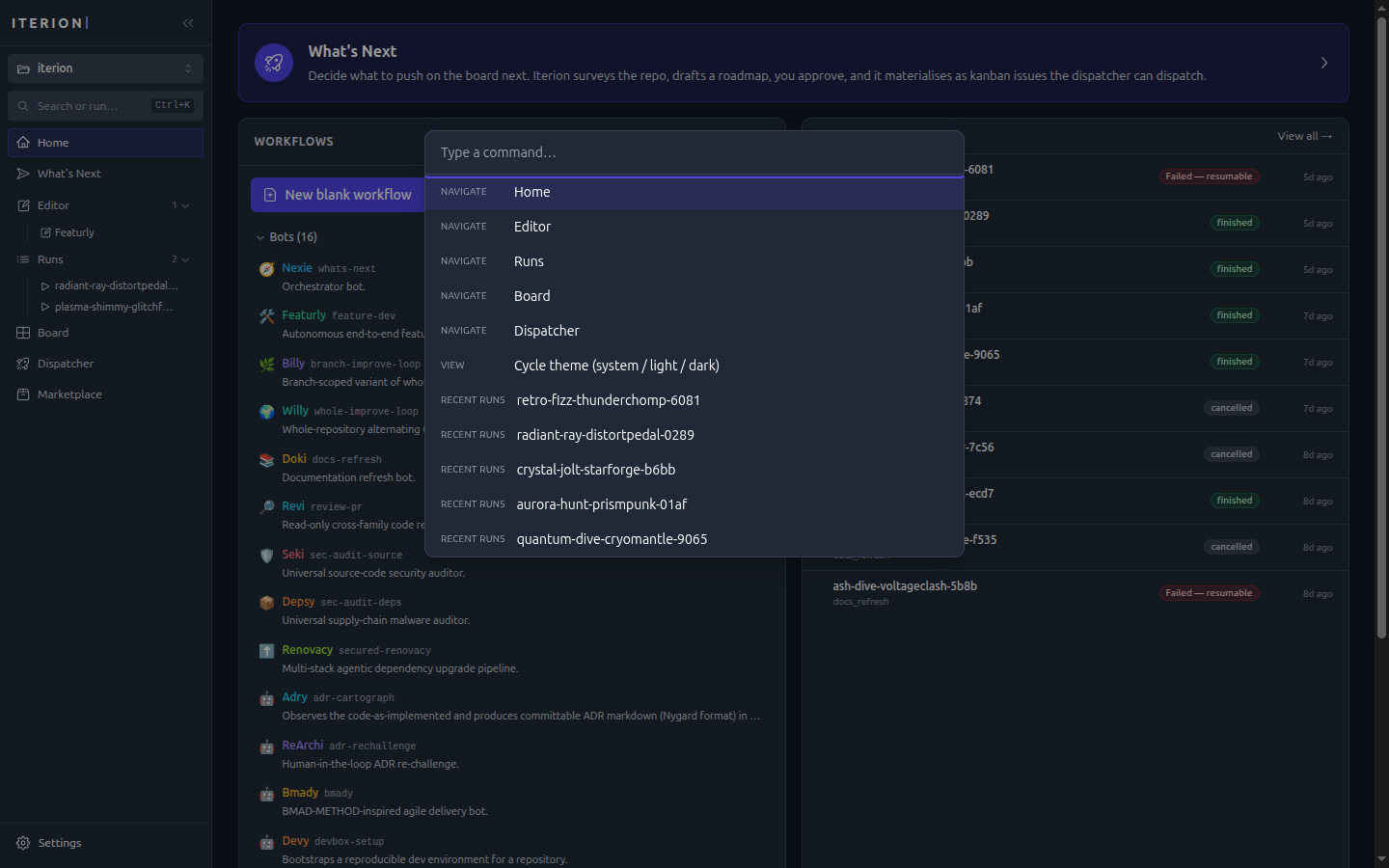
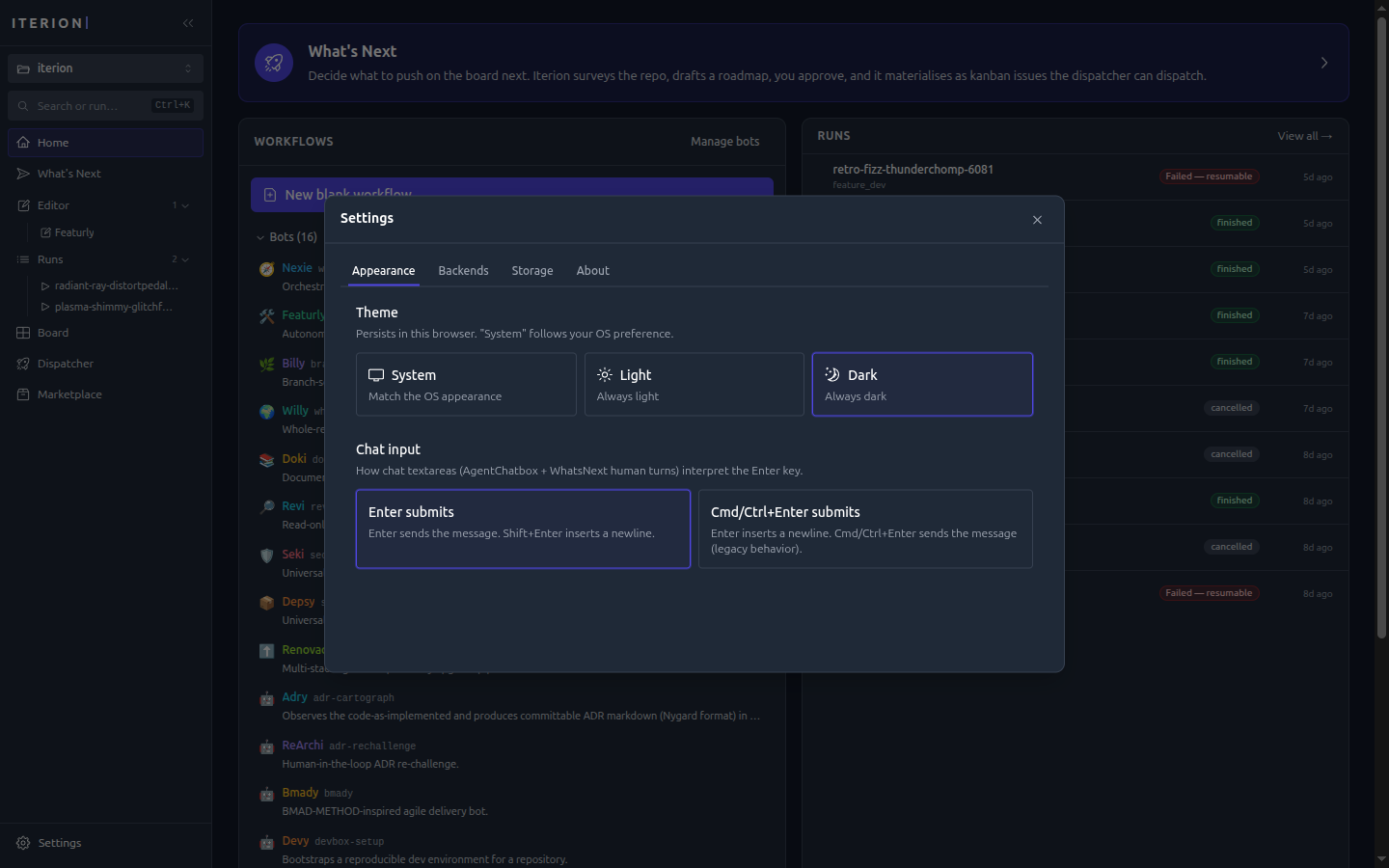
All shots use the studio’s dark theme; a light theme is available from Settings → Appearance or
⌘/Ctrl+K → Cycle theme.
Authoring
Source view — the raw .bot source mirrored beside the graph, edits in either stay in sync.
Launch modal — fills vars and attachments, picks a backend, and previews the estimated cost before the run starts.
Running & observing
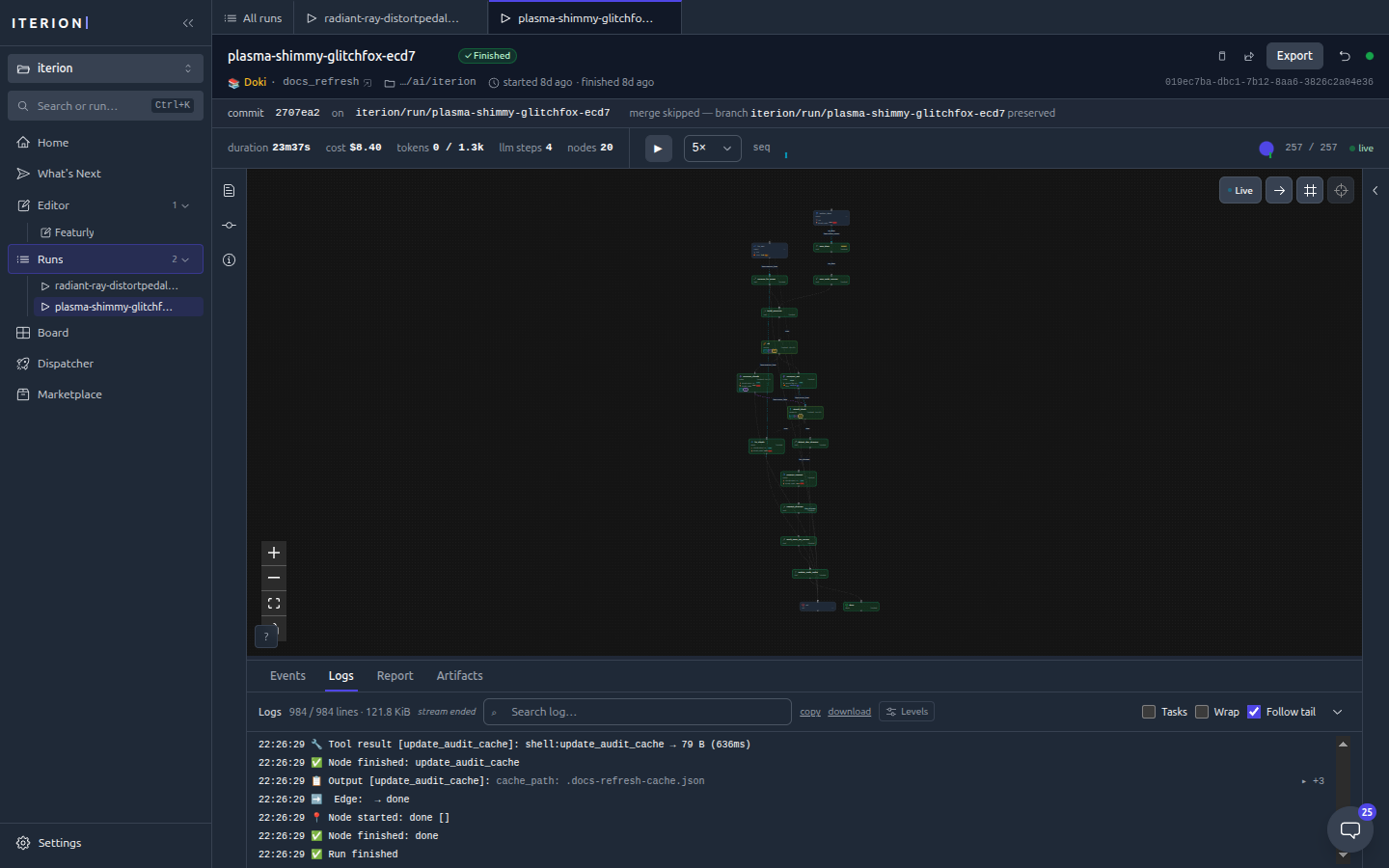
Run console — a live graph of the run, a streaming event log, and a header showing the commit/branch the run landed on.
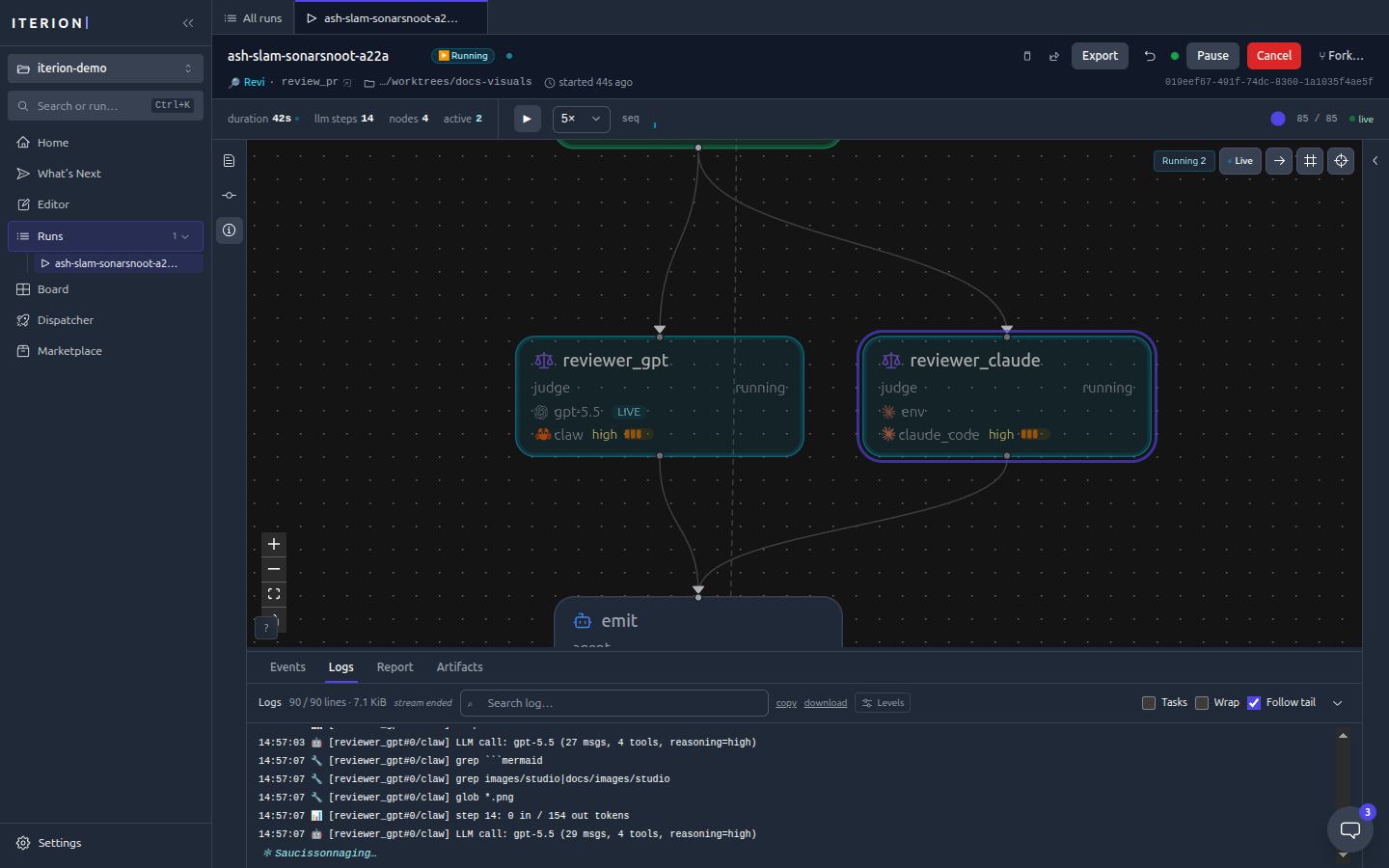
Run in flight — a running review with both cross-family judges executing in parallel (note the green Running badge and the live log tail).
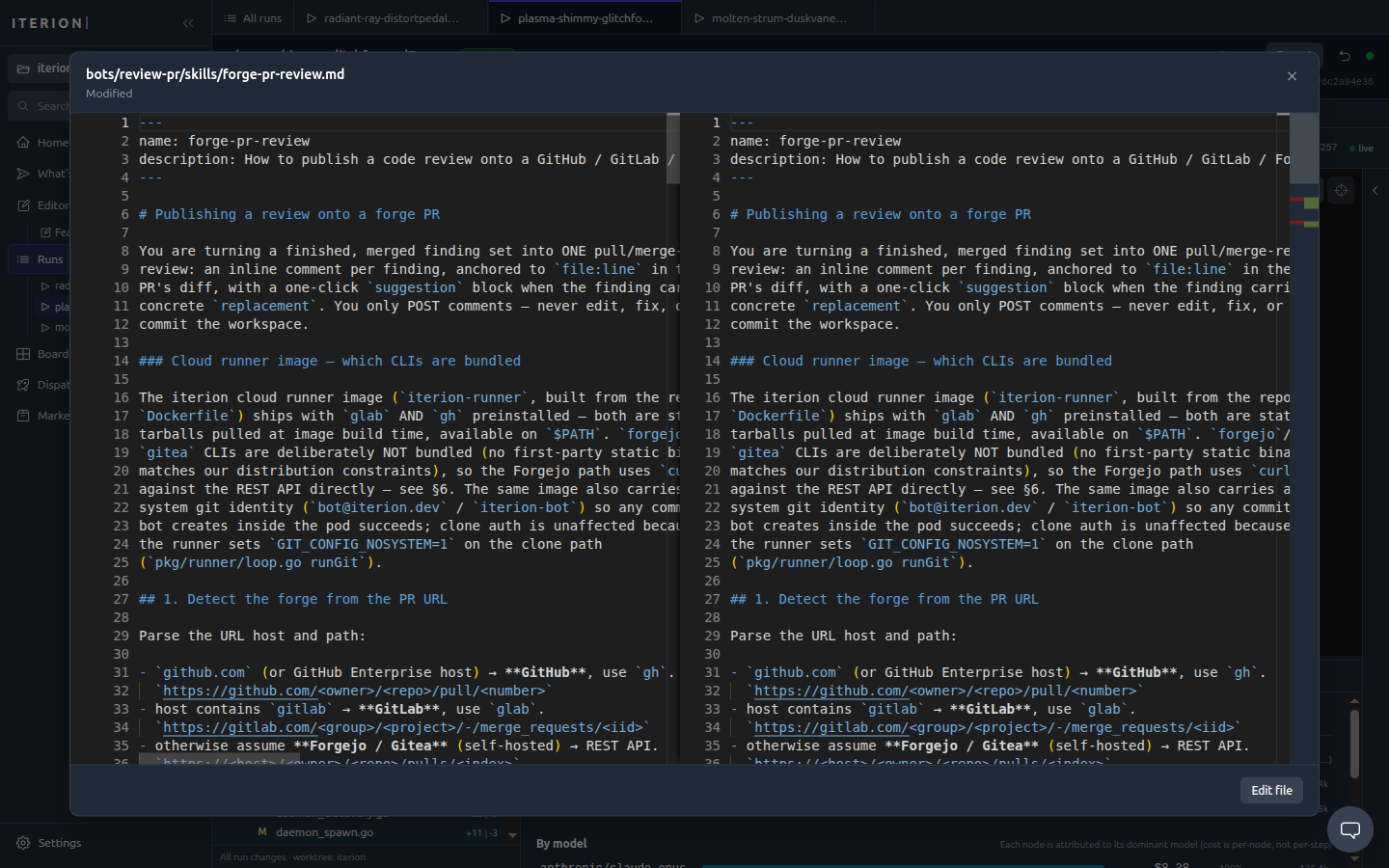
File diff — every file the run changed, opened in a side-by-side diff.
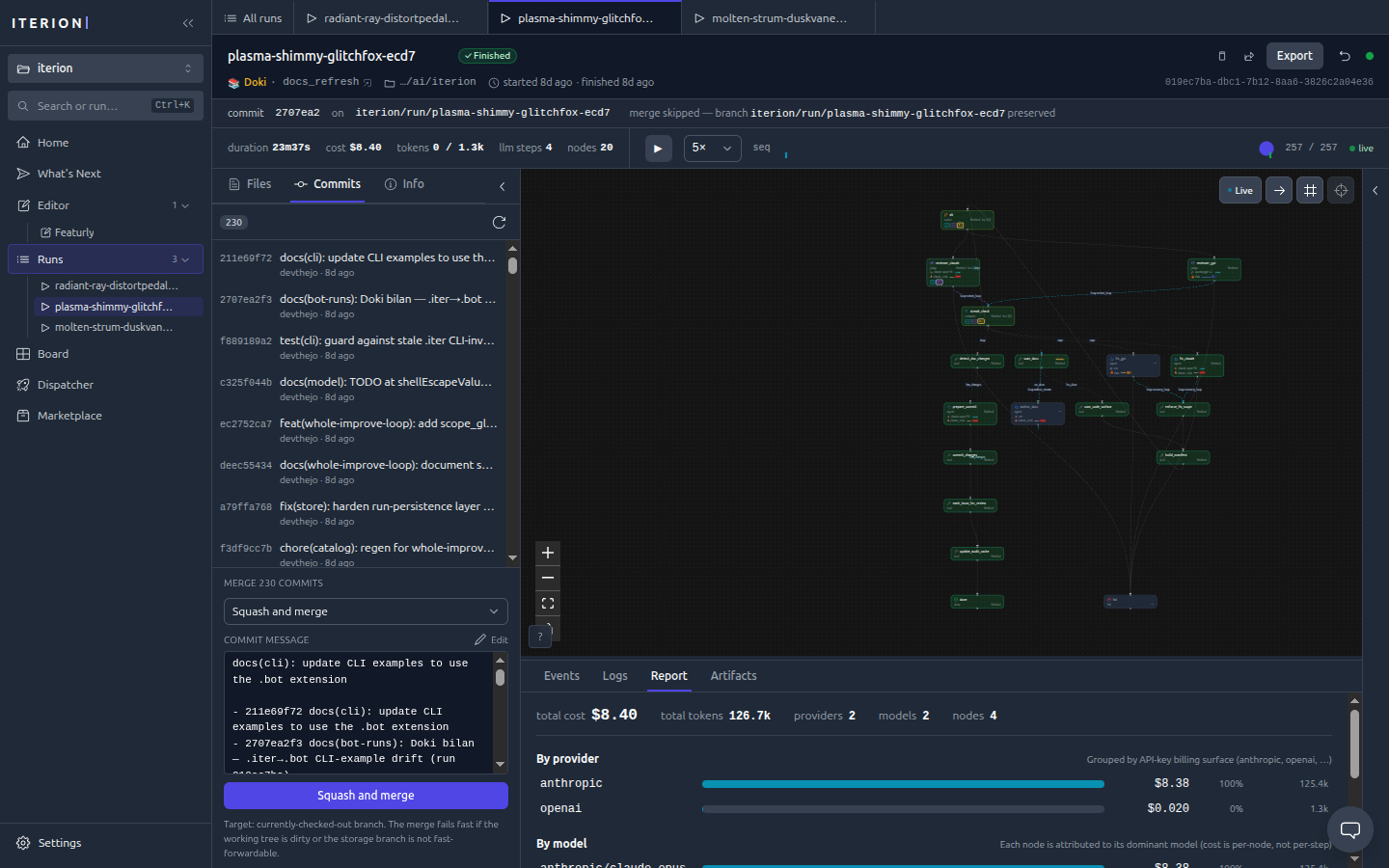
Commits & merge — the run’s commits with a one-click squash-and-merge into your branch.
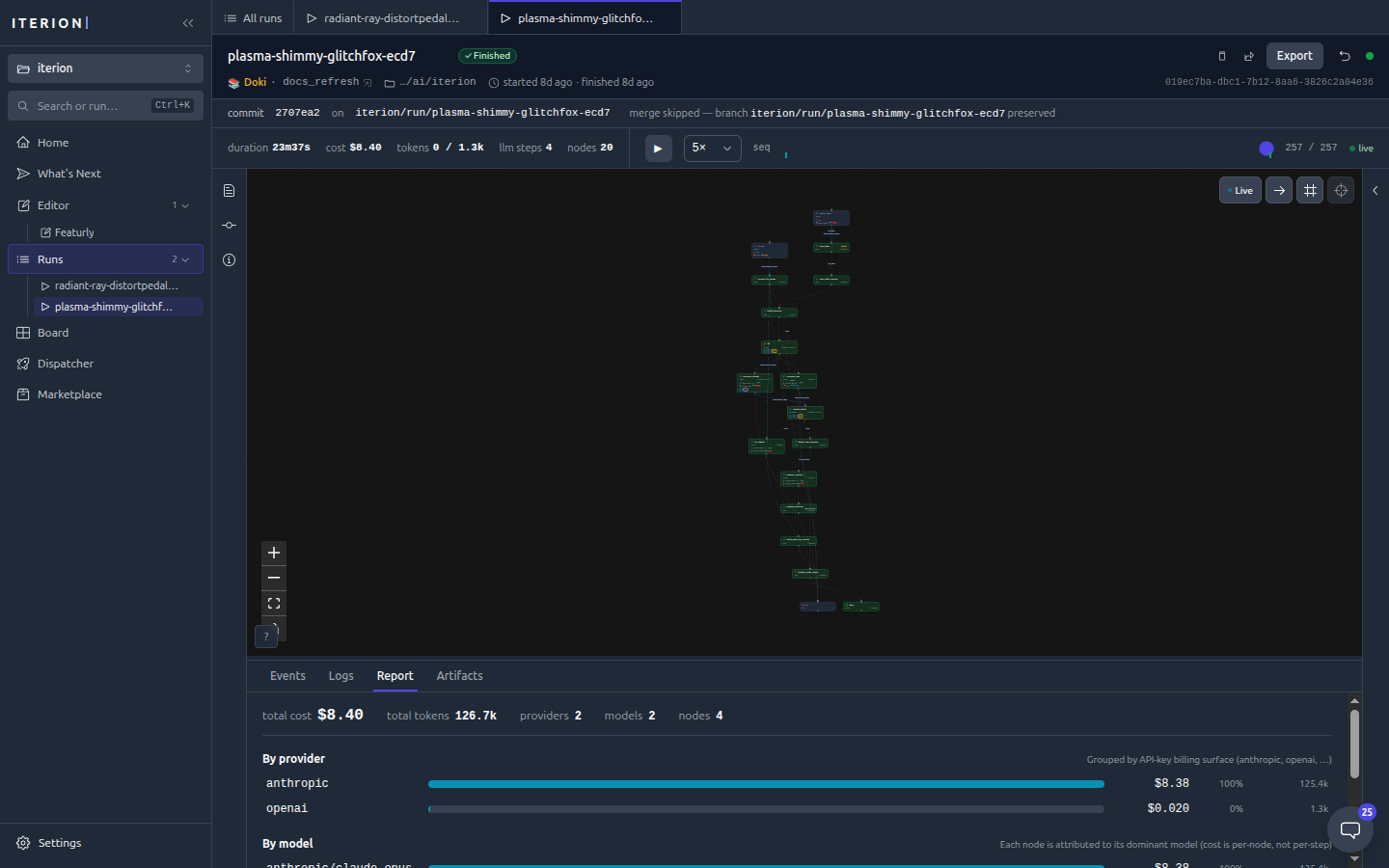
Cost report — per-provider and per-model cost attribution for a finished run.
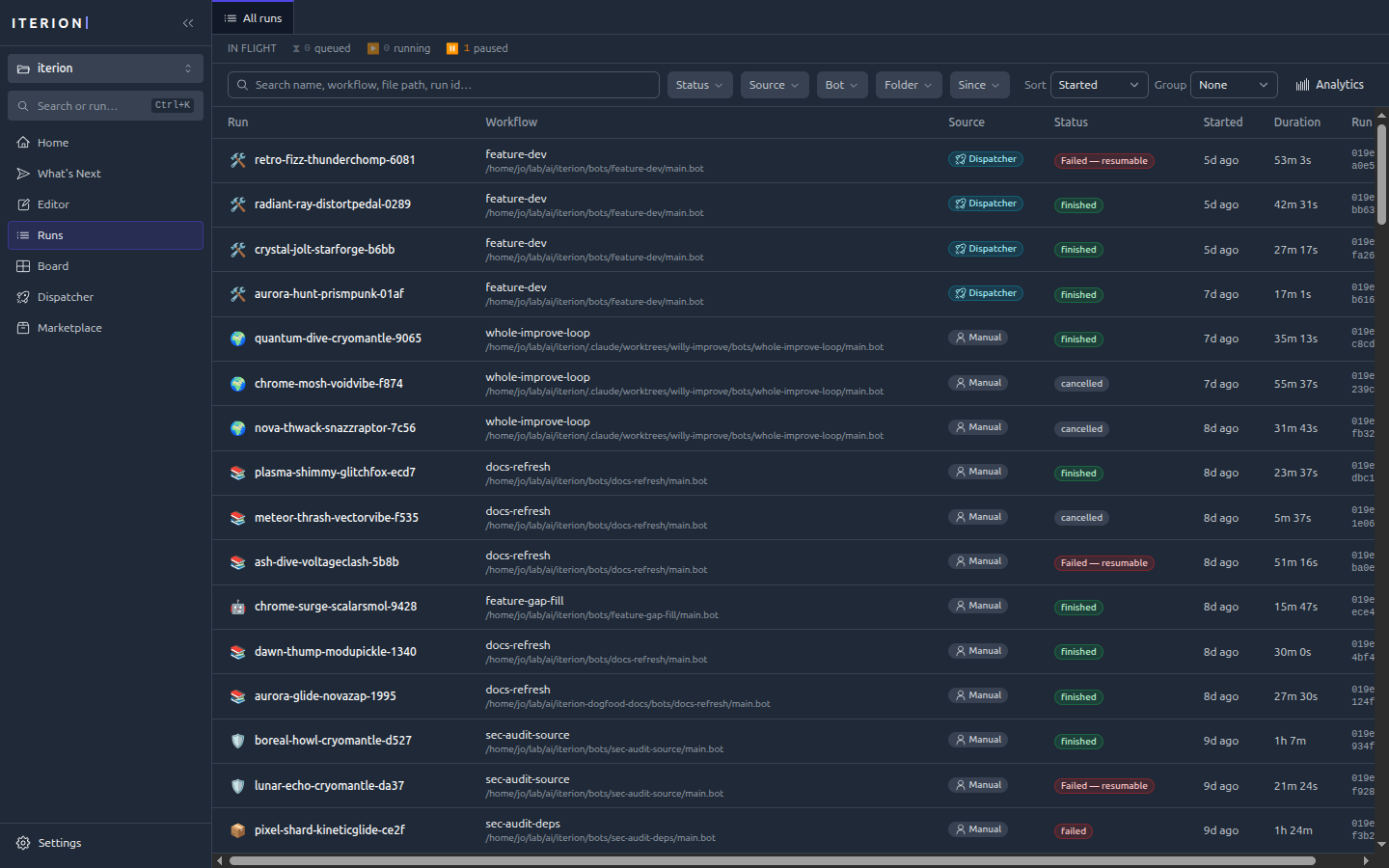
Runs list — every run with status, cost, and duration, filterable and sortable.
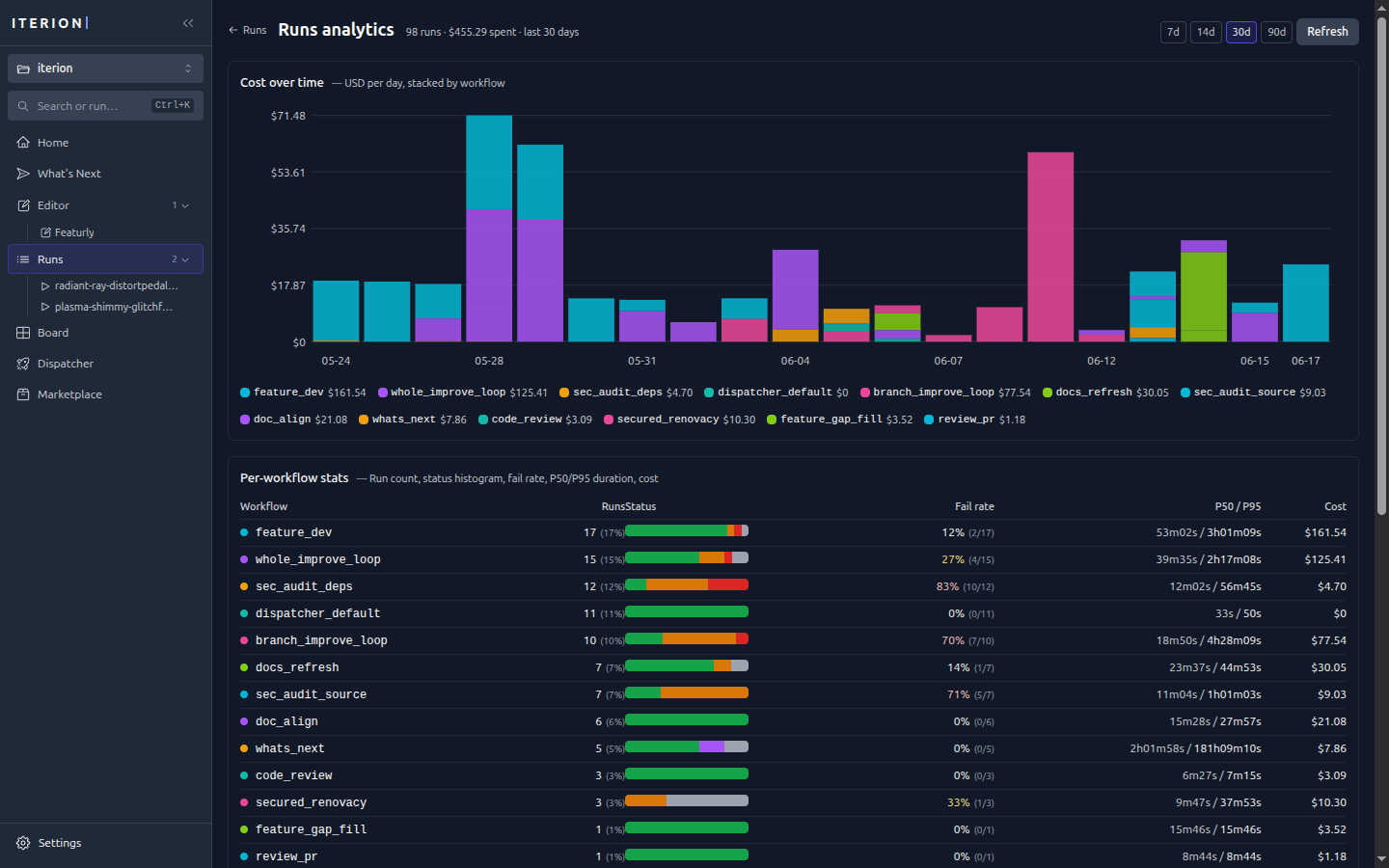
Run analytics (/insights) — cost over time stacked by workflow, plus per-workflow run counts, fail rates, and P50/P95 durations.
Human in the loop
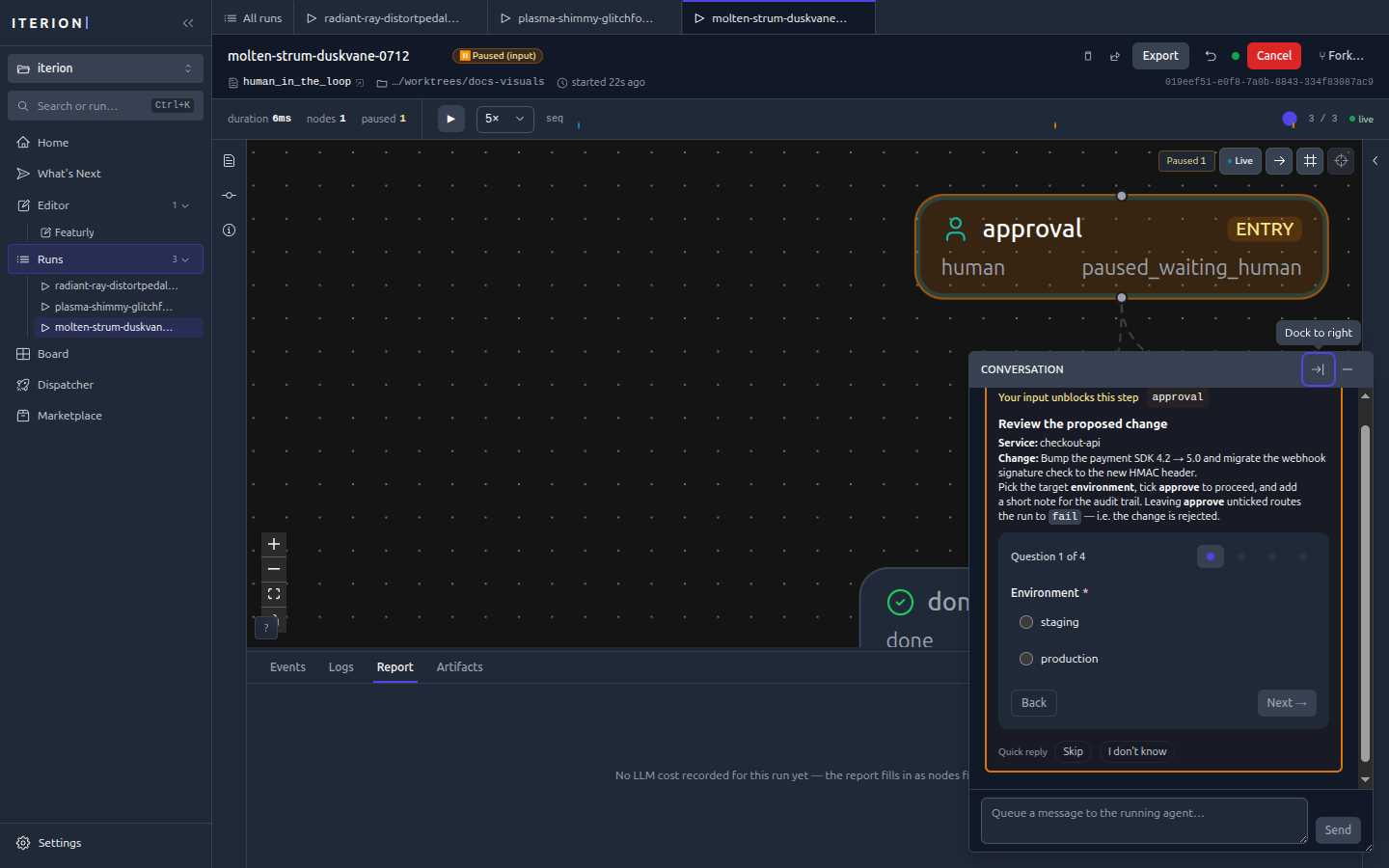
Interaction form — when a run reaches a human node it pauses and renders a form (here a deploy-approval gate). See human-in-the-loop.md for the field-type → widget mapping and the four interaction modes.
Orchestration
Kanban board (/board) — the native tracker with drag-and-drop, labels, priorities, and per-card bot assignees, flowing across columns from inbox to done.
Dispatcher dashboard (/dispatcher) — live config, in-flight runs, and the retry queue.
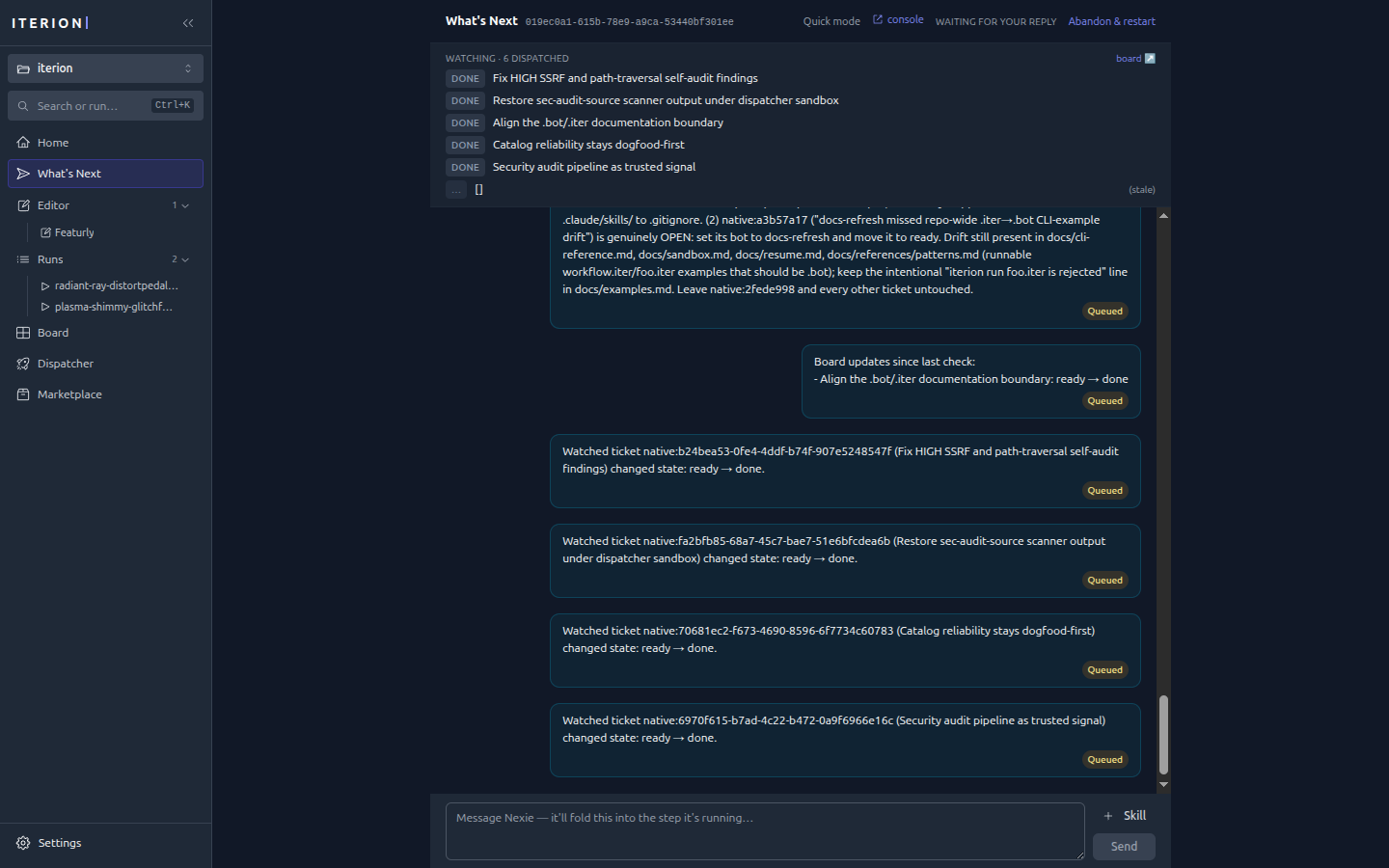
What’s Next — a conversational session that surveys the repo, proposes a roadmap, and watches the board it dispatches.
Workspace & configuration
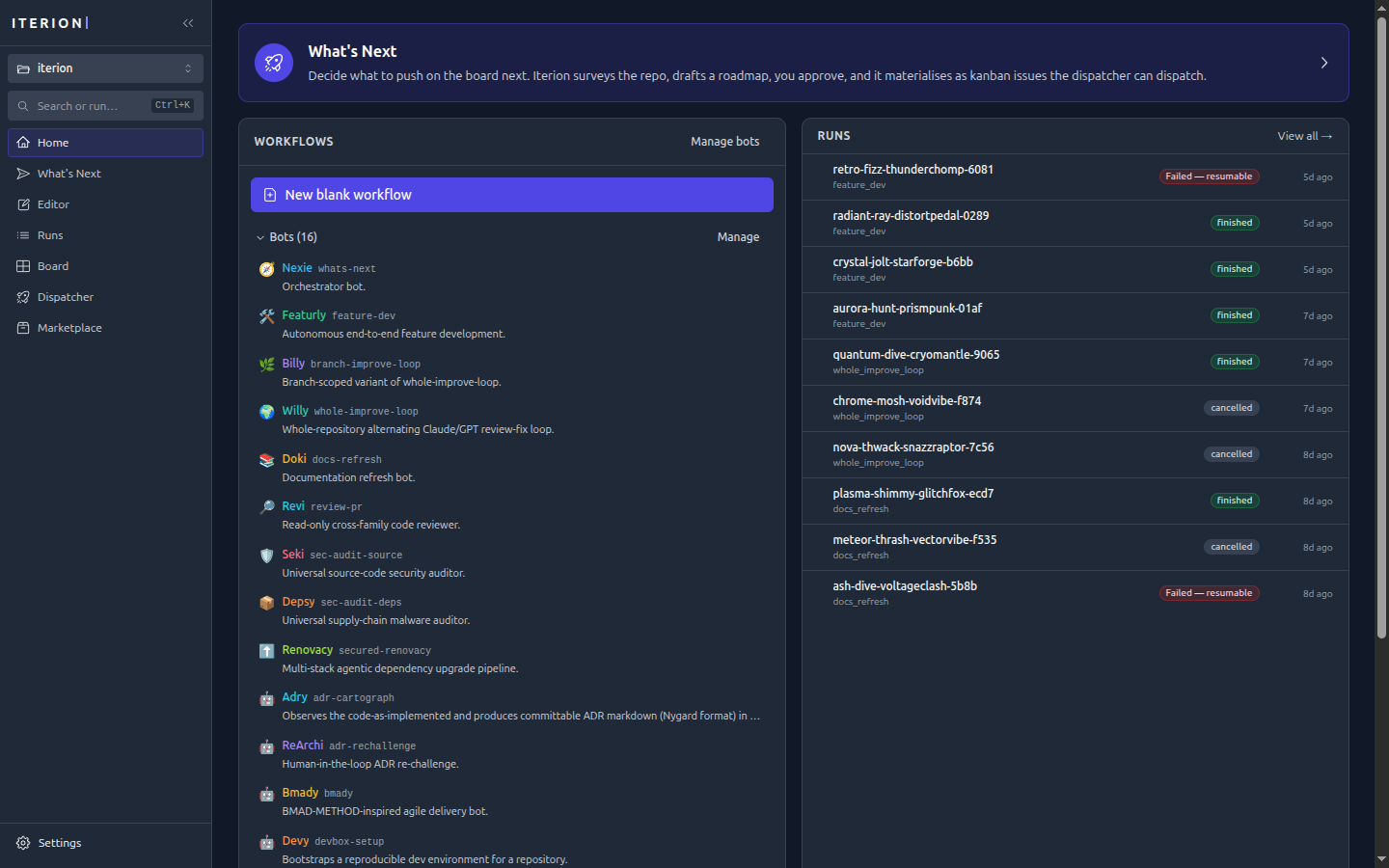
Home — the start page: a What’s Next entry, the bot catalog, and recent runs.
Command palette (⌘/Ctrl+K) — jump to any view, run, or action; cycle the theme.
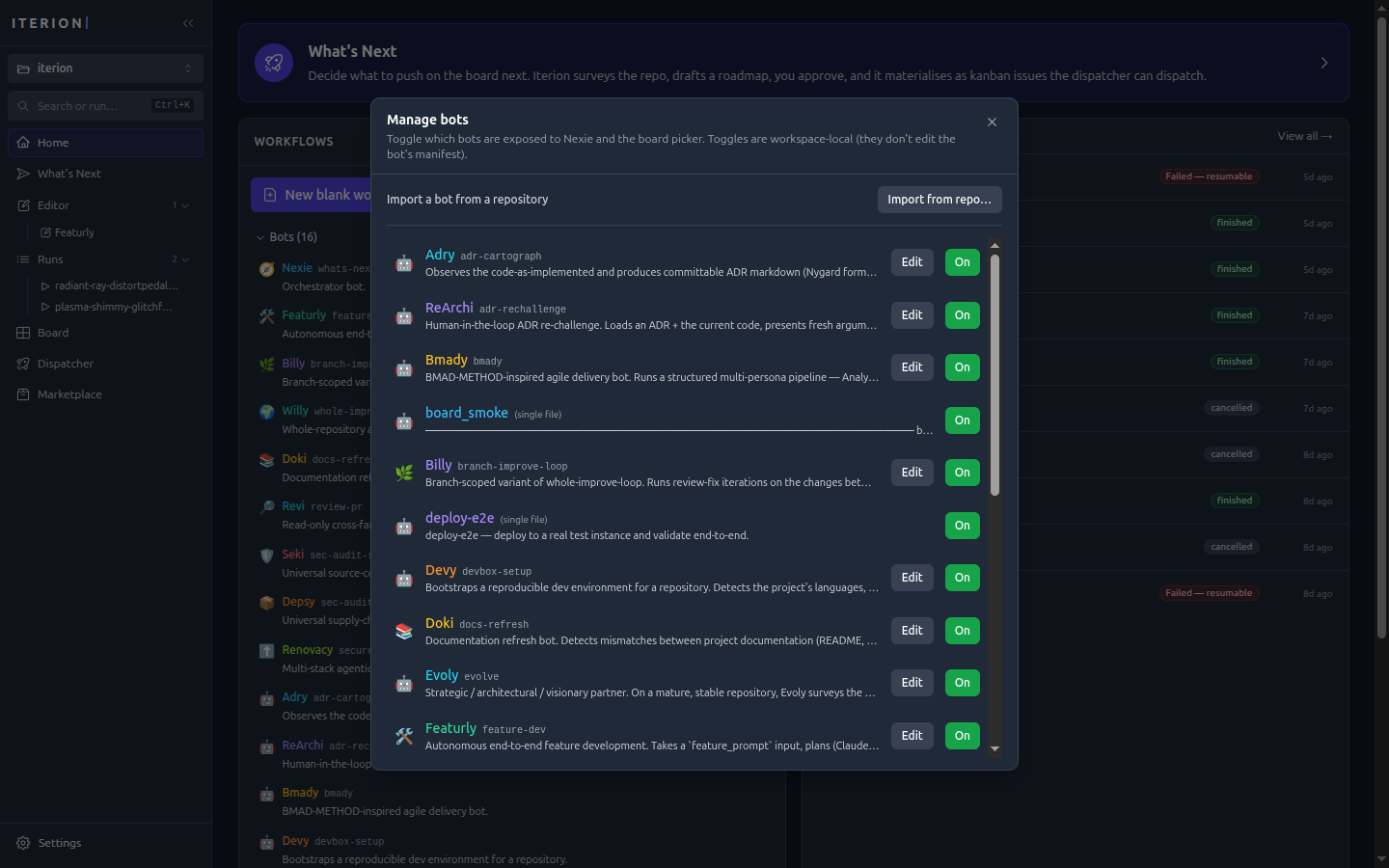
Bot catalog — enable/disable bots and import new ones from a repository.
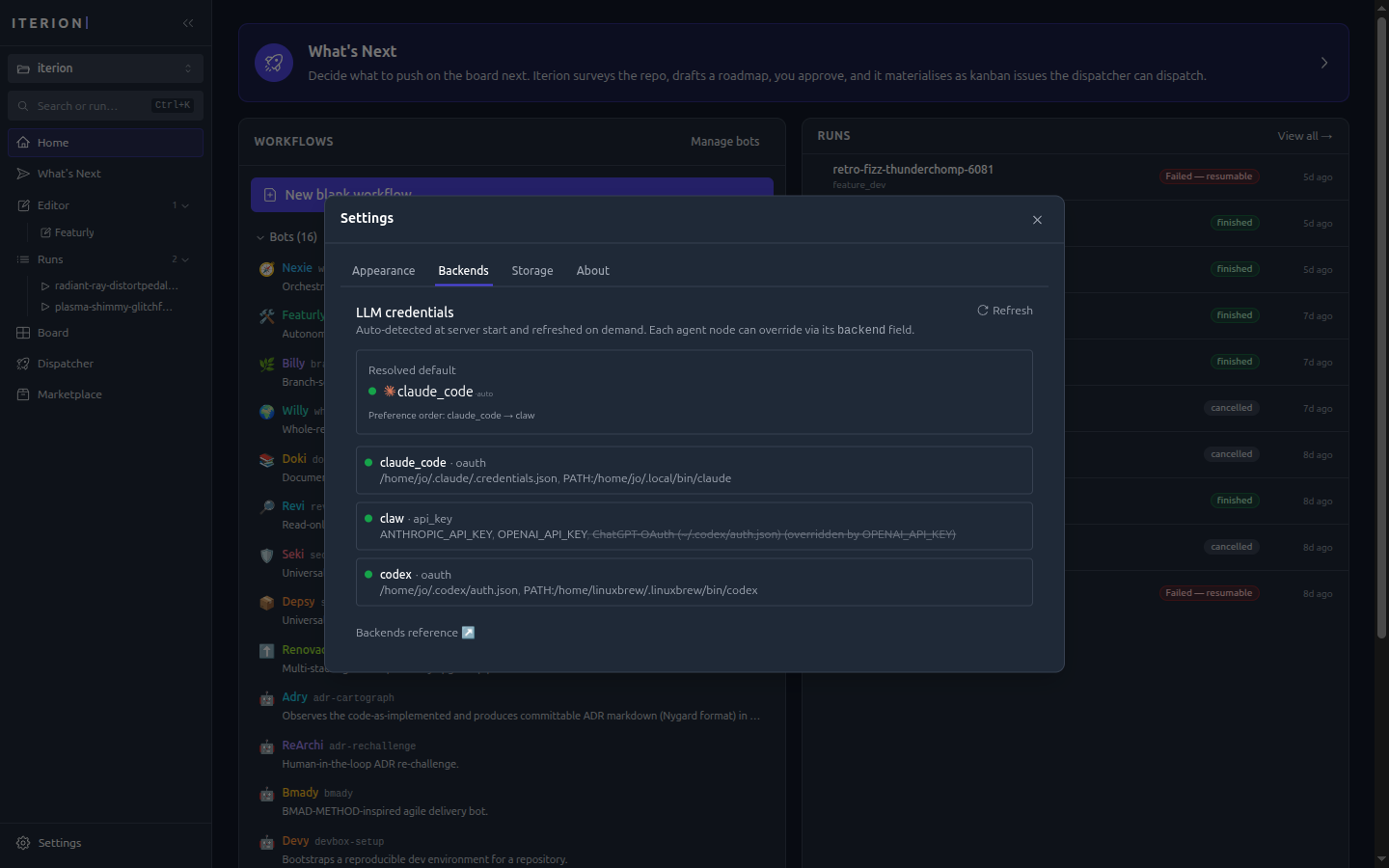
Backends (Settings → Backends) — auto-detected LLM credentials and the resolved default backend.
Appearance (Settings → Appearance) — theme (System / Light / Dark) and chat-input behaviour.
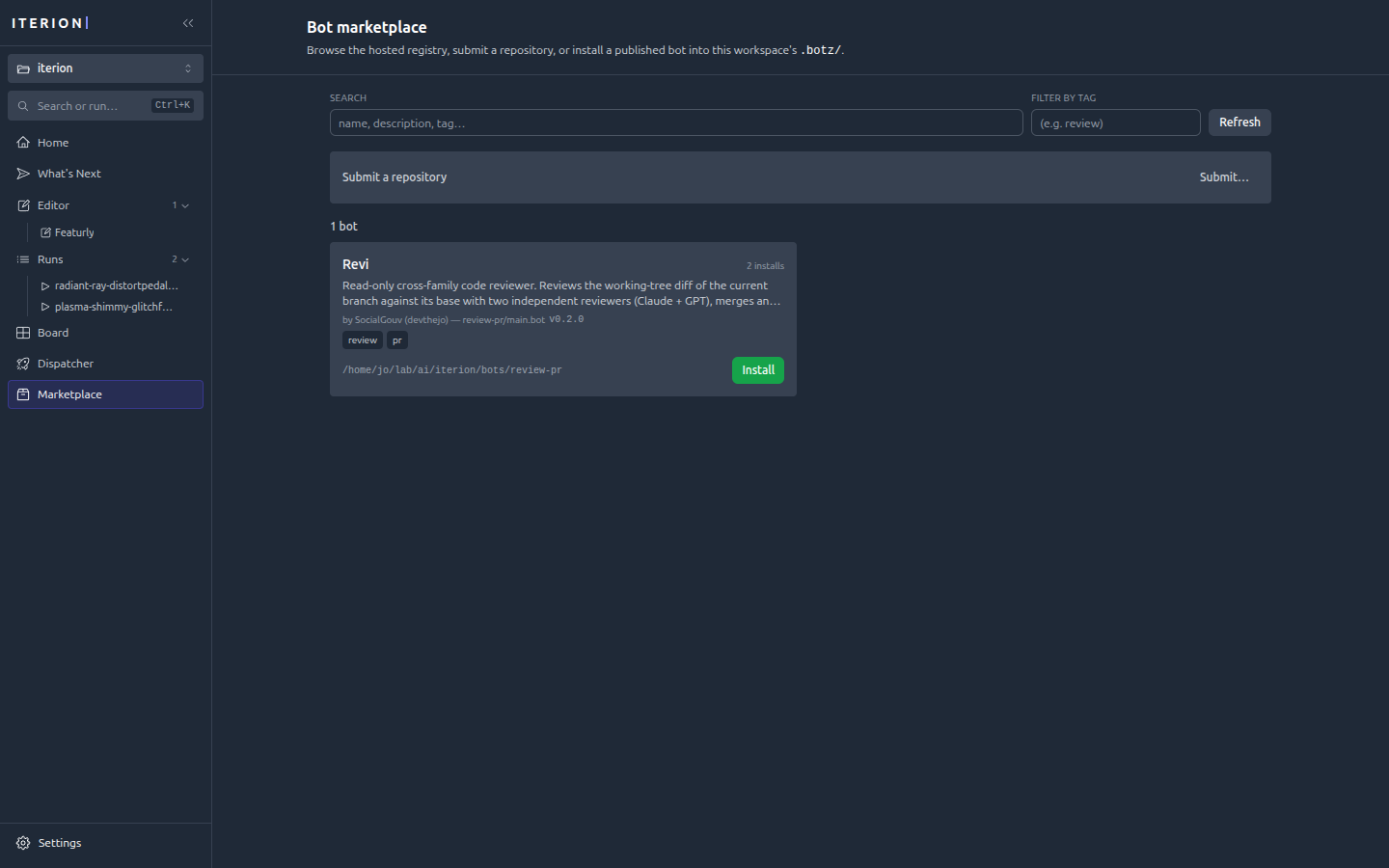
Marketplace — browse, submit, and install published .botz bundles.