Visual Editor (web)
The same workflows, visually. Build on the canvas or edit the .bot source directly — both stay in sync.
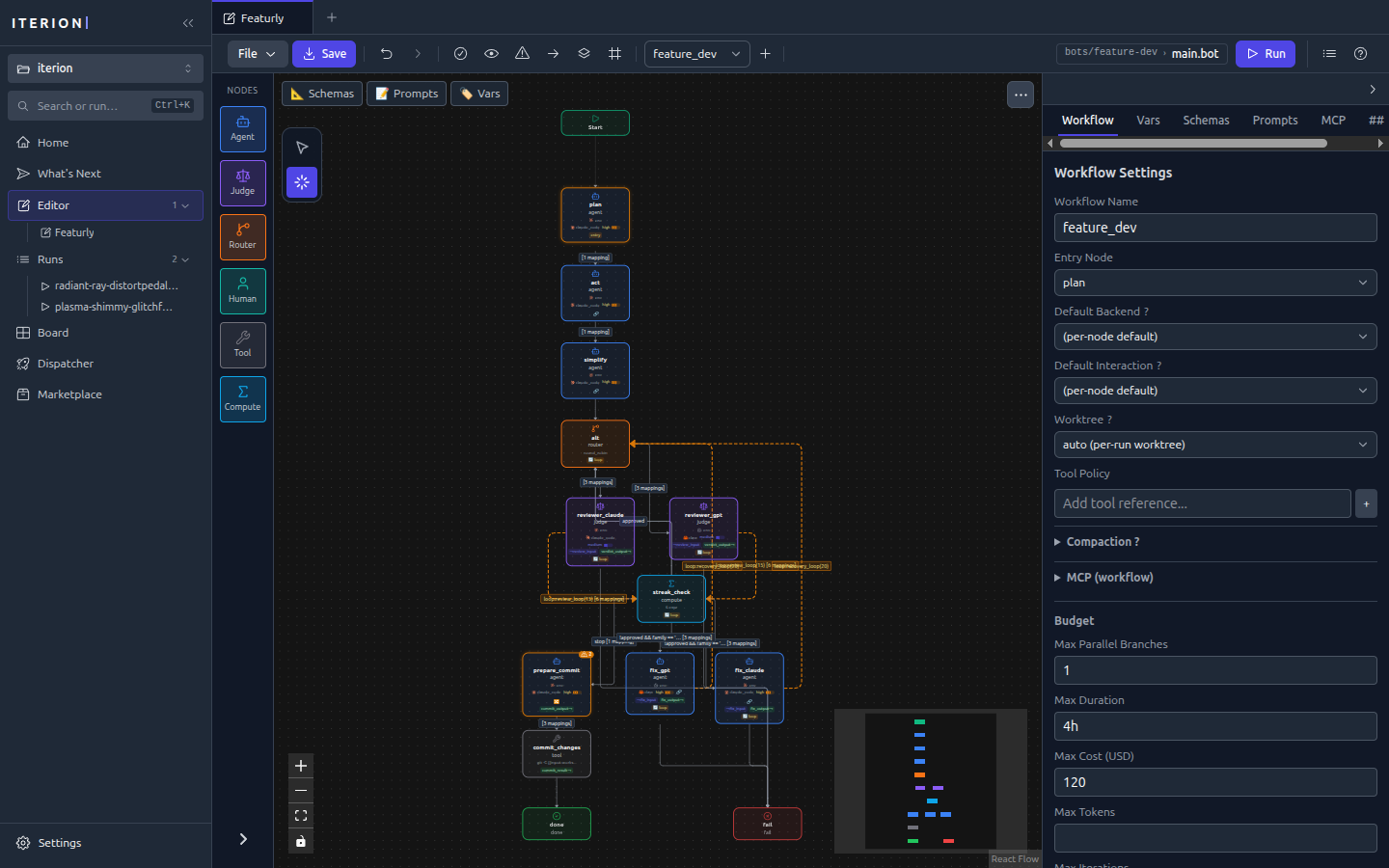
Iterion includes a browser-based visual workflow editor built with React and XYFlow. Served by your local iterion binary — no installation beyond the CLI.
iterion studio                     # Launch on default port (4891), opens browser
iterion studio --port 8080         # Custom port
iterion studio --dir ./workflows   # Custom working directory
iterion studio --bind 0.0.0.0      # Expose on the LAN (default 127.0.0.1)
iterion studio --bots-path ./bots  # Add a bot discovery path (repeatable; feeds the Launch modal)
iterion studio --no-browser        # Don't auto-open browser
iterion studio --no-browser-pane   # Disable the run console's Browser pane
See cli-reference.md #iterion-studio for the full flag set (networking, attachments, bot discovery).
What you get
- Bot builder (
/bots/new) — Guided creation of a new bot, from template gallery to first test run (see below) - Canvas — Drag-and-drop node graph with auto-layout, zoom, search, and keyboard shortcuts
- Node library — Drag pre-built node types (agent, judge, router, human, tool, compute) onto the canvas
- Model + fallback labels on the card — An agent/judge node names the model spec it will actually use, and the
fallbacks:routes behind it. A${VAR:-default}spec renders its authored default rather than the word "env", so the card distinguishes one deployment's model from another's; a bare${FOO}compacts to$FOOto fit the node (studio/src/lib/modelLabel.ts) - Property editor — Edit node properties, schemas, prompts, and edge conditions in a side panel
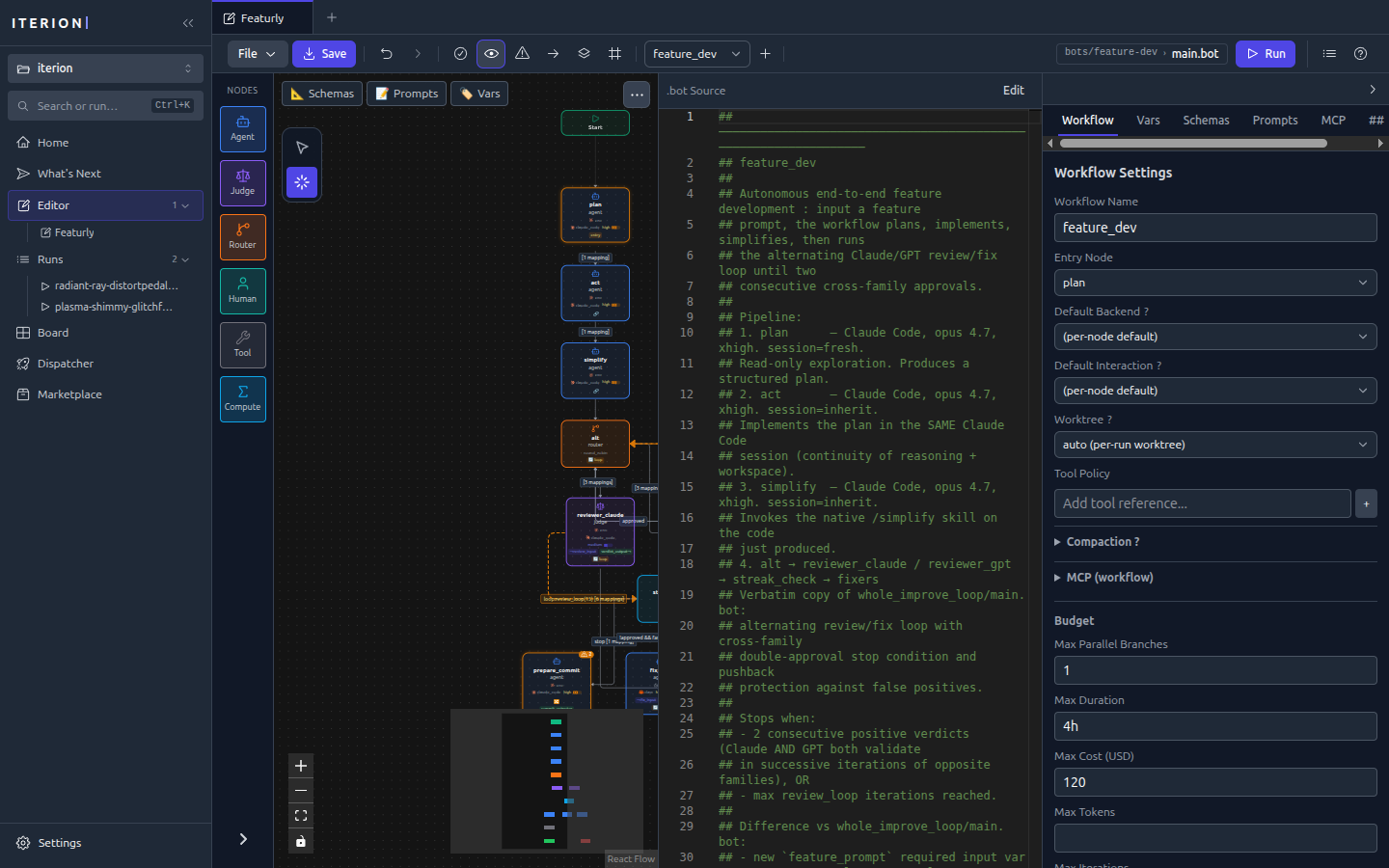
- Source view — Split-pane view showing the raw workflow source (
.bot) alongside the visual graph - Bundle file drawer (cloud team bots) — Add, edit, save, or delete
manifest.yaml, skills, prompts, and other bundle files without leaving the editor (main.botis the required entry and cannot be deleted) - Live diagnostics — Real-time validation errors and warnings as you edit (sparse DSL ranges C001–C199 and async C240–C242; bundle checks C200–C234)
- File watching — Detects external file changes via WebSocket and syncs automatically
- Undo/redo — Full edit history
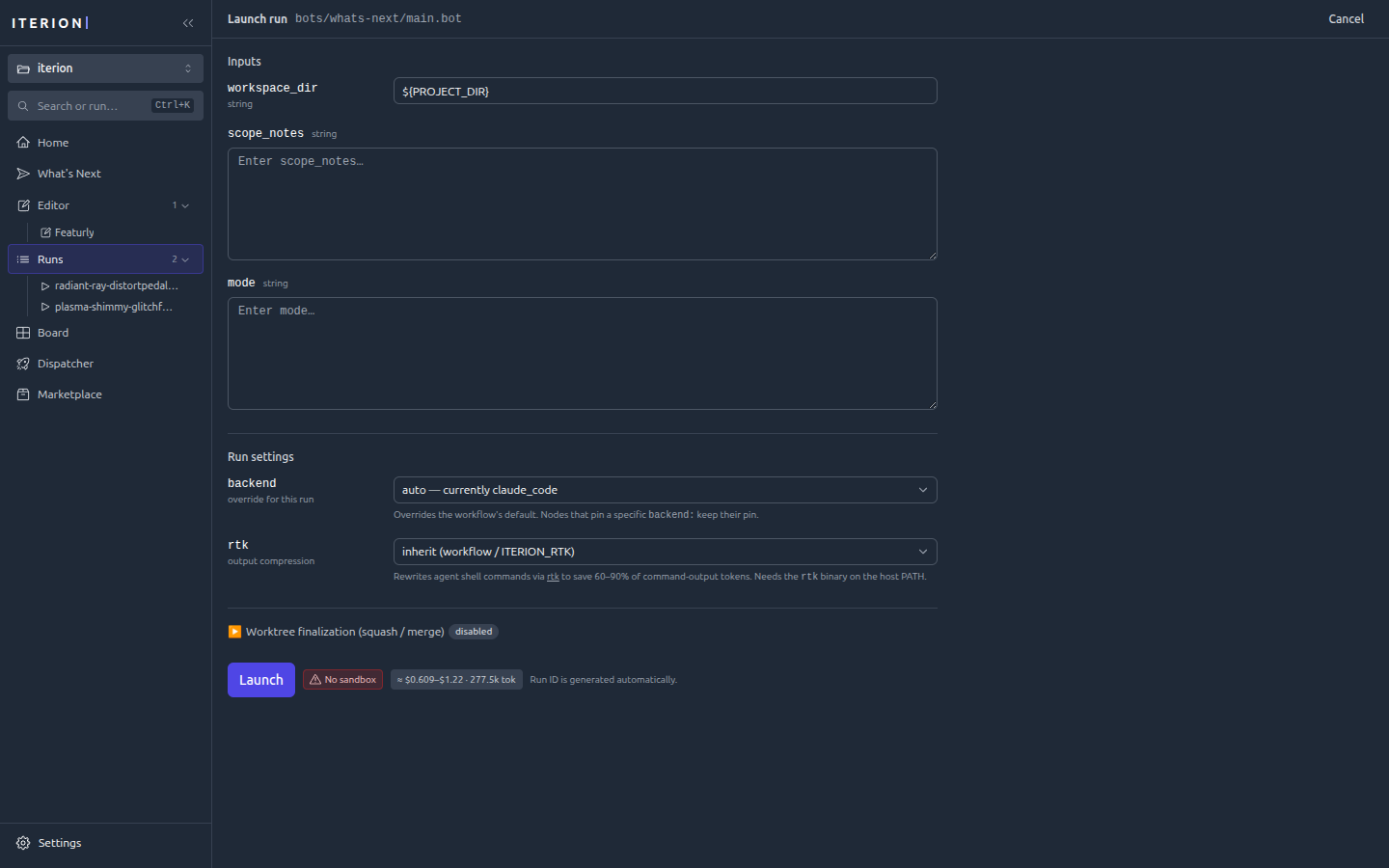
- Launch modal — Fills
varsand attachments at launch time, with bot/argument discovery driven by--bots-path(the modal's bot picker and argument form consume the same catalogueiterion bots listemits) - Kanban
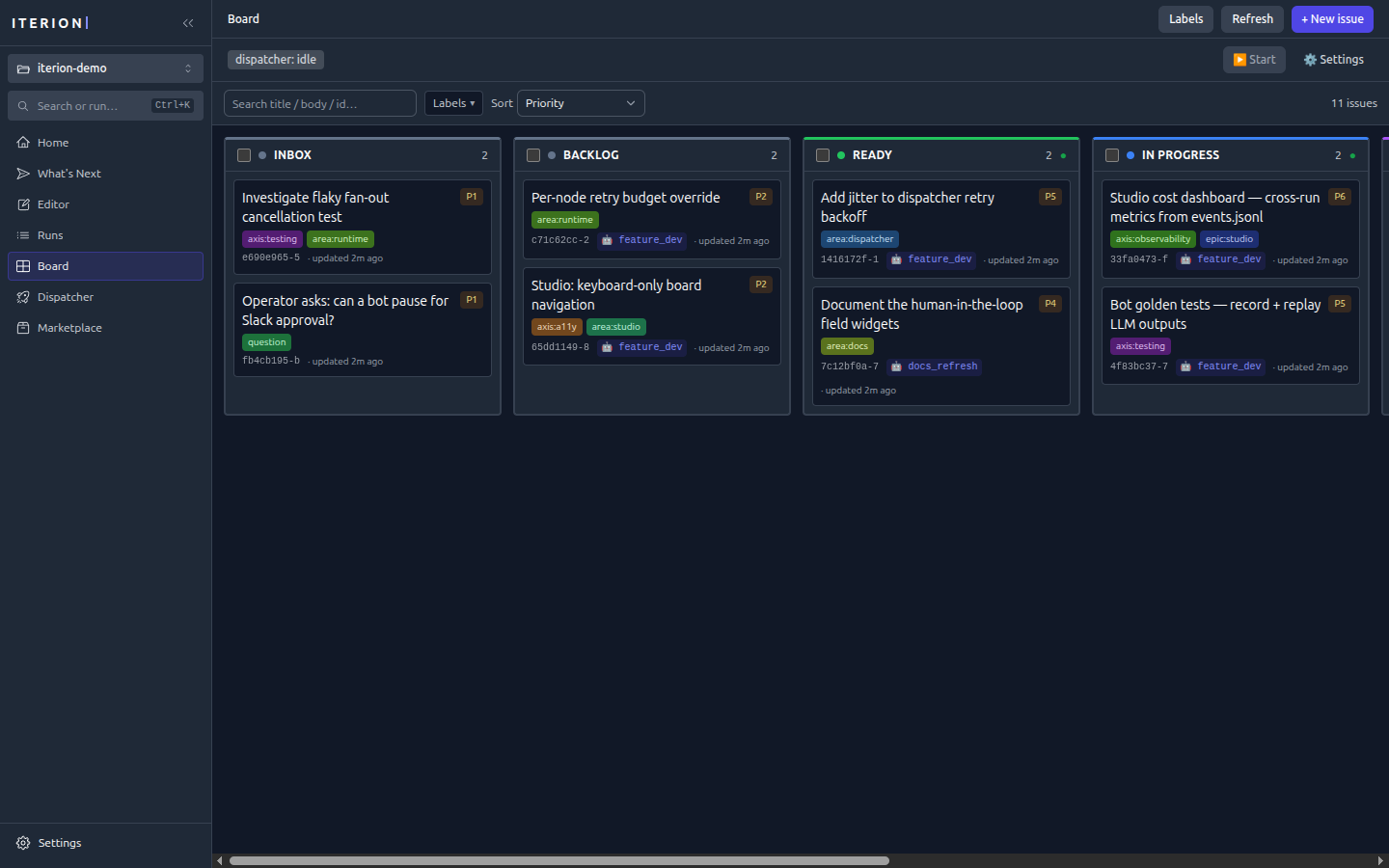
/boardview — Native tracker CRUD with drag-and-drop (gated onserver_info.native_tracker_enabled; see native-tracker.md) - Pipeline
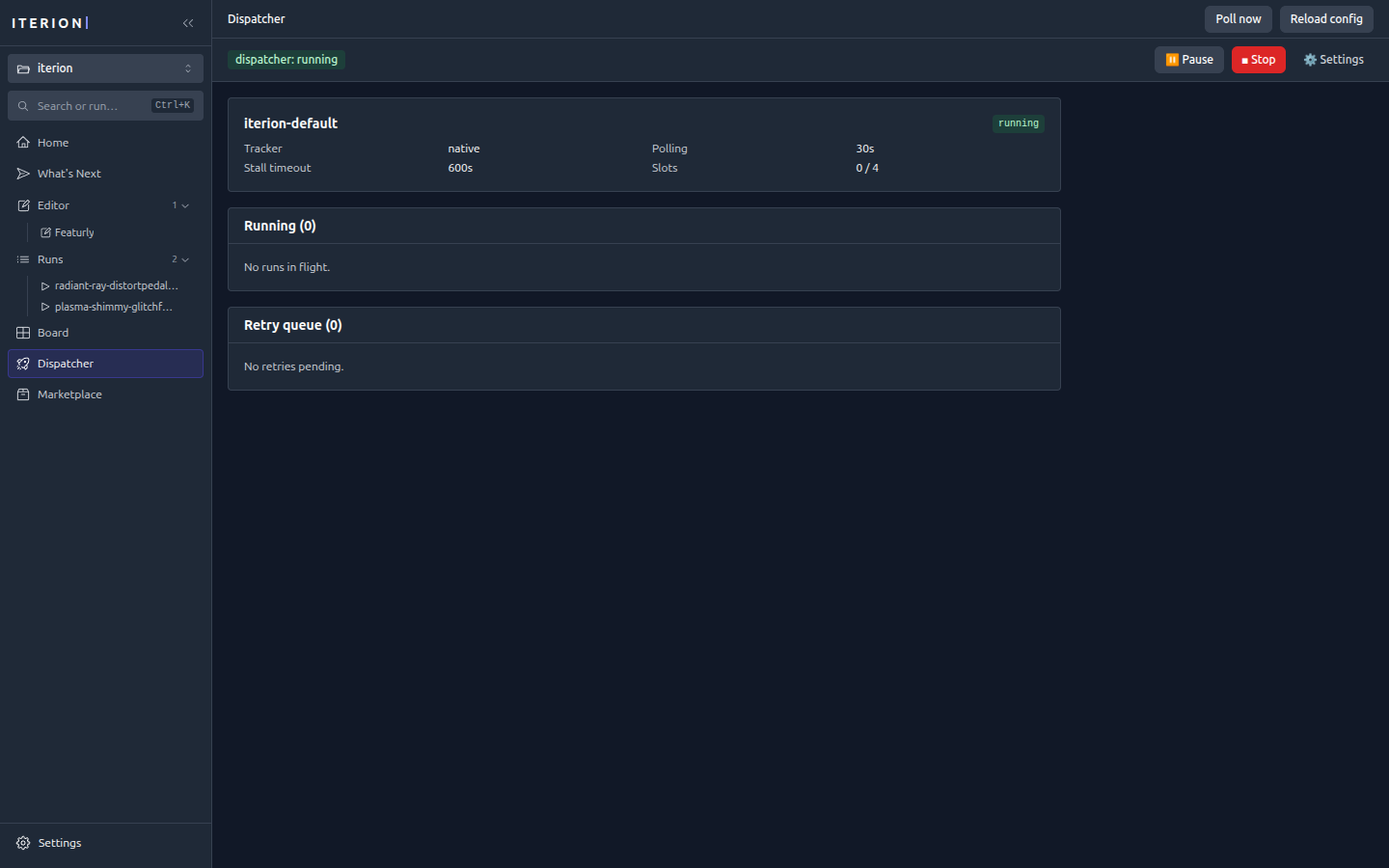
/pipelinesboard — Global control-center board tracking staged tasks and their in-flight runs, with priority-driven launch (sameserver_info.native_tracker_enabledgate; concurrency capped by--max-concurrent-pipelines; see native-tracker.md) /dispatcherdashboard — Live running + retry tables wheniterion dispatchis wired (gated onserver_info.dispatcher_enabled; see dispatcher.md)- Browser pane — Preview URLs, live CDP screencast, and time-travel screenshots tied to a run (see browser-pane.md). Disable with
--no-browser-pane. - Run console — Launch a workflow from the studio and watch events stream live
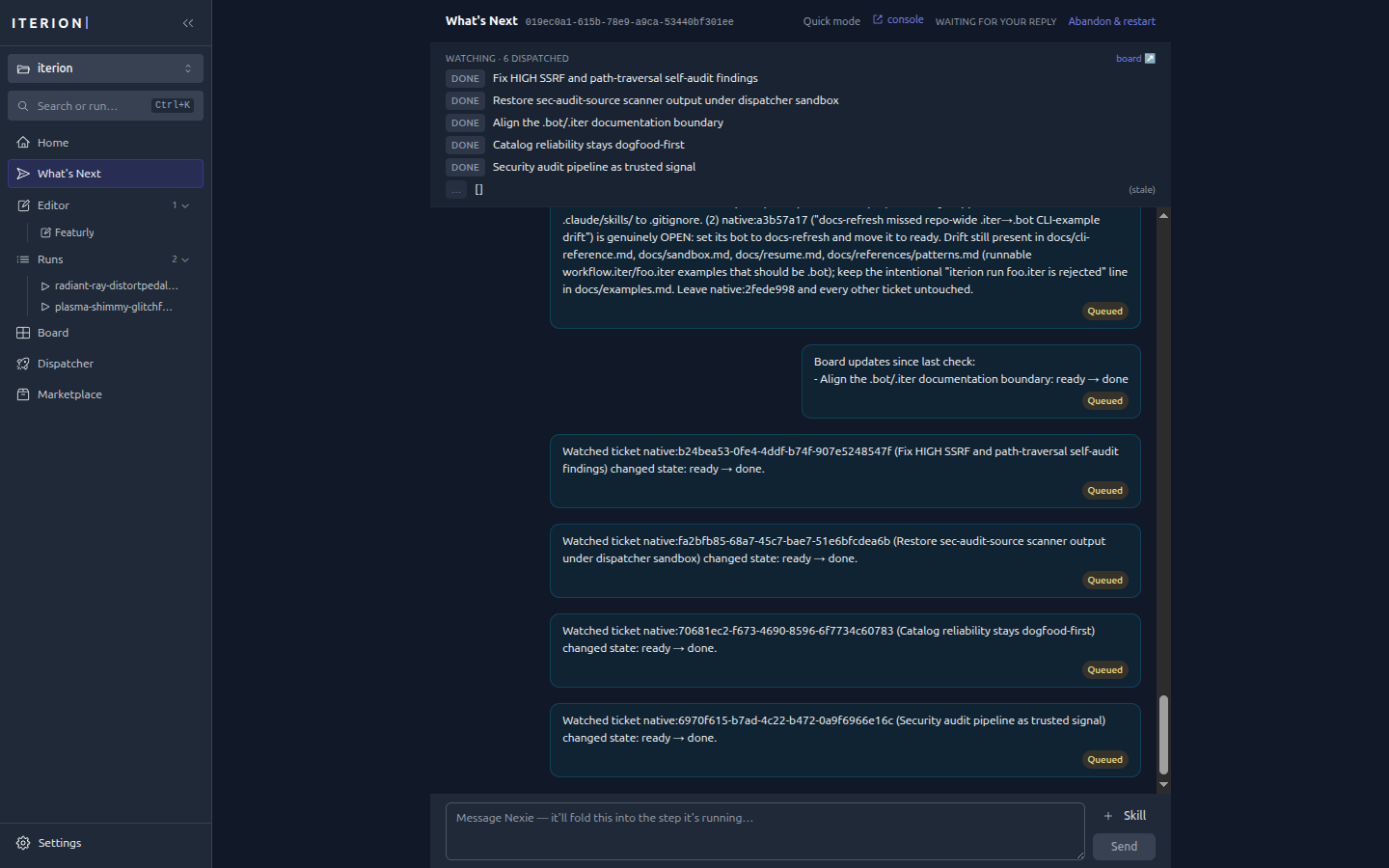
- Assistant dock — The conversational assistant on every route: a corner bubble that opens into a floating panel or a docked right column. It hosts the same session
/whats-nextrenders full-width, so navigating neither restarts it nor loses the transcript, and it reports the page you are on as a dismissible context chip (see assistant-dock.md)
This mode is the simplest way to design and iterate locally. If you want a packaged native window instead (no browser, OS-keychain credentials, auto-update), see the Desktop App.
Creating a bot (/bots/new)
The New bot button on the Bots view opens the guided builder — the recommended way to start a bot from nothing. It runs in two phases on a single page:
- Template gallery — pick a starting point (
blank,daily-digest,code-reviewer,docs-writer,issue-triager). Each pre-fills the form; every field stays editable afterwards. - Form → create → test — name the bot, write its mission, set the optional dials (model/backend, worktree, sandbox, permission, budgets, a suggested cron), then create it. An embedded test-run pane lets you iterate without leaving the page. Drafts auto-save to local storage.
In local mode, creating writes a real bundle to <workdir>/bots/<slug>/ — main.bot, manifest.yaml, README.md, and the skills/ prompts/ attachments/ presets/ layout — and refreshes the generated bot catalogue, so the new bot is immediately discoverable, launchable, and dispatchable. The CLI equivalent is iterion bots create <slug> --template <id>.
In cloud mode, the same builder is enabled for a user with the bot-editor capability (or a team admin/owner). The server renders the same pkg/botscaffold spec in a temporary directory and persists the whole file map to the team's bot-source store instead of an ephemeral pod filesystem. The new bot can be opened directly in the multi-file editor and is visible to every team member. Baked catalogue bots remain read-only; Duplicate & edit forks the whole catalogue bundle into that team store before opening it. See Cloud user guide → Editing and creating bots.
Both creation paths validate the spec and generated bundle before persistence; subsequent cloud file saves compile the whole bundle and use a version token to reject conflicting teammate edits. See the CLI reference for local creation and the Cloud REST API for the team store.
Screenshots
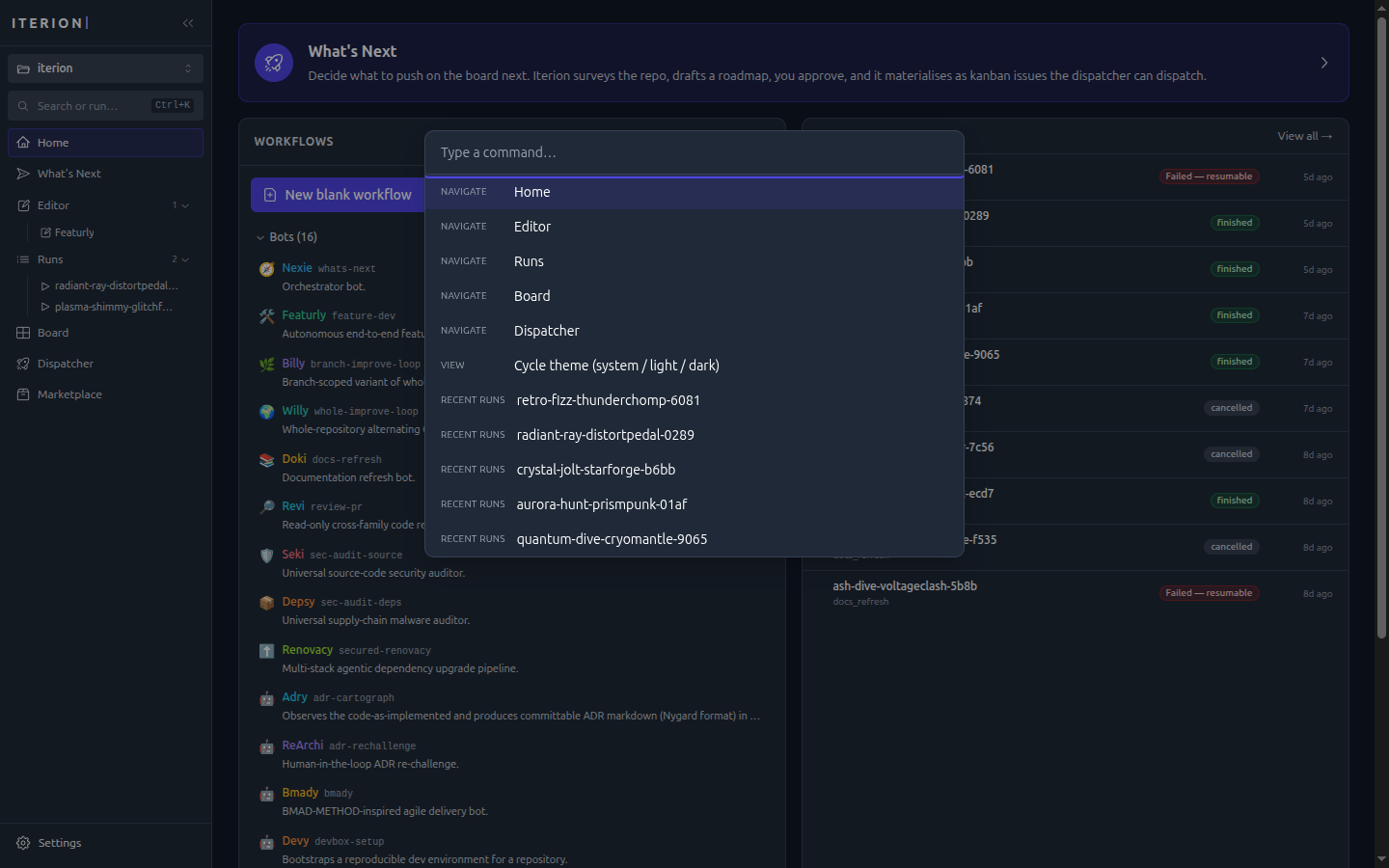
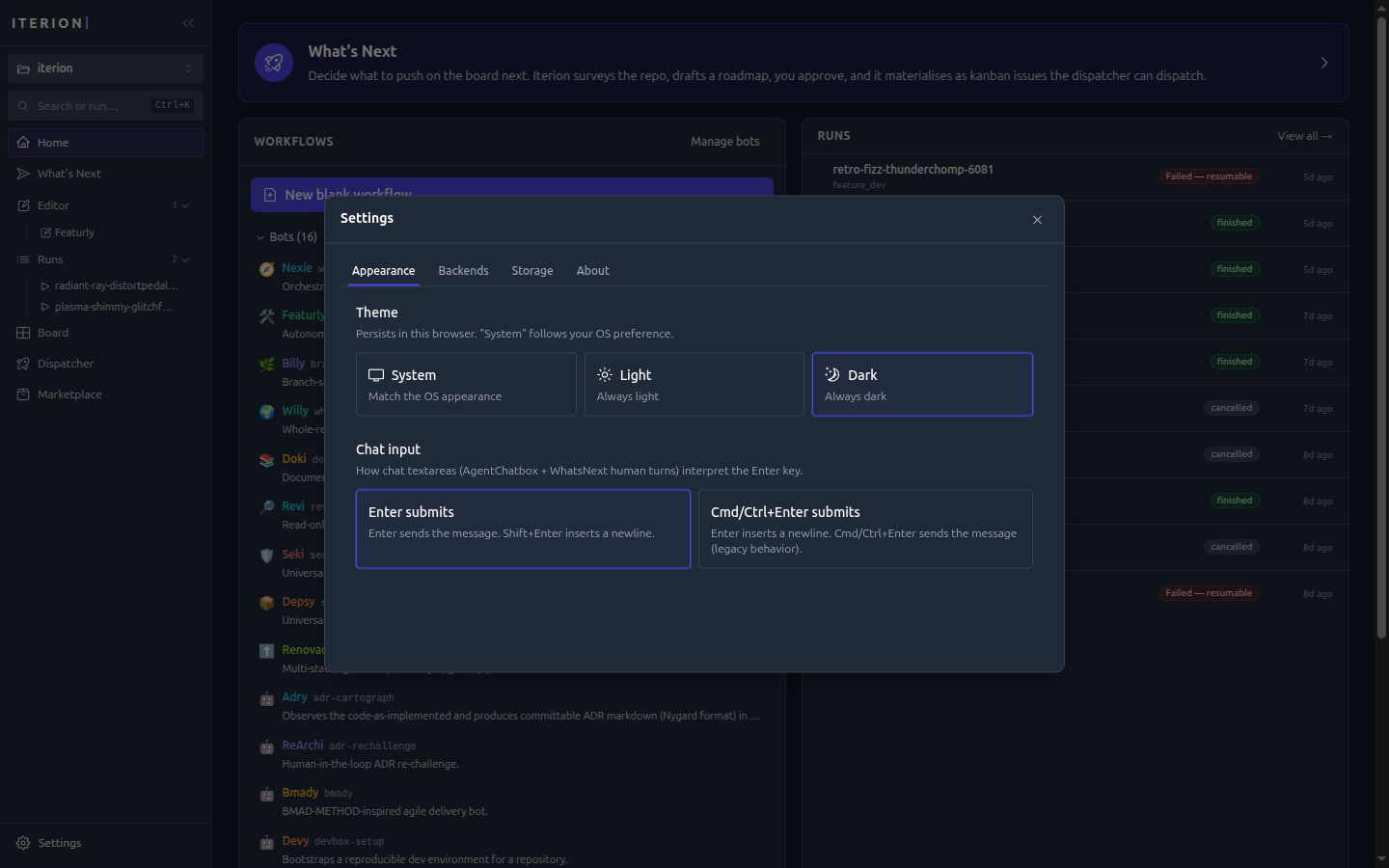
All shots use the studio's dark theme; a light theme is available from Settings → Appearance or
⌘/Ctrl+K → Cycle theme.
Authoring
Source view — the raw .bot source mirrored beside the graph, edits in either stay in sync. For a bot in several files it is a picker over the unit's files, showing ONE file's text at a time with the merged program as a read-only entry beside them: an edit there rebuilds the bot from its files as they are stored plus that one text, so unsaved canvas edits to its other files are not carried and the view asks before replacing them.
Launch modal — fills vars and attachments, picks a backend, and previews the estimated cost before the run starts.
Running & observing
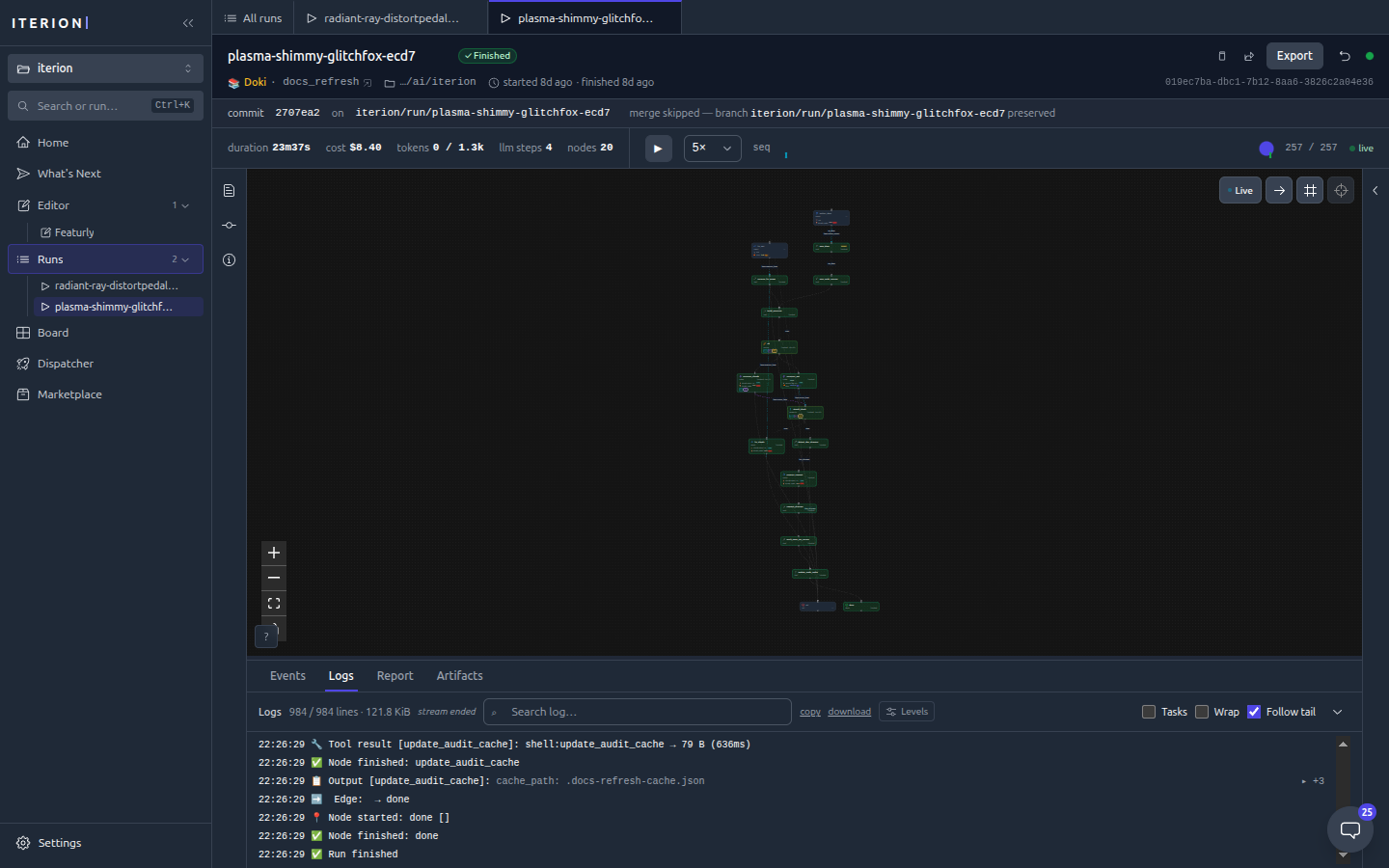
Run console — a live graph of the run, a streaming event log, and a header showing the commit/branch the run landed on.
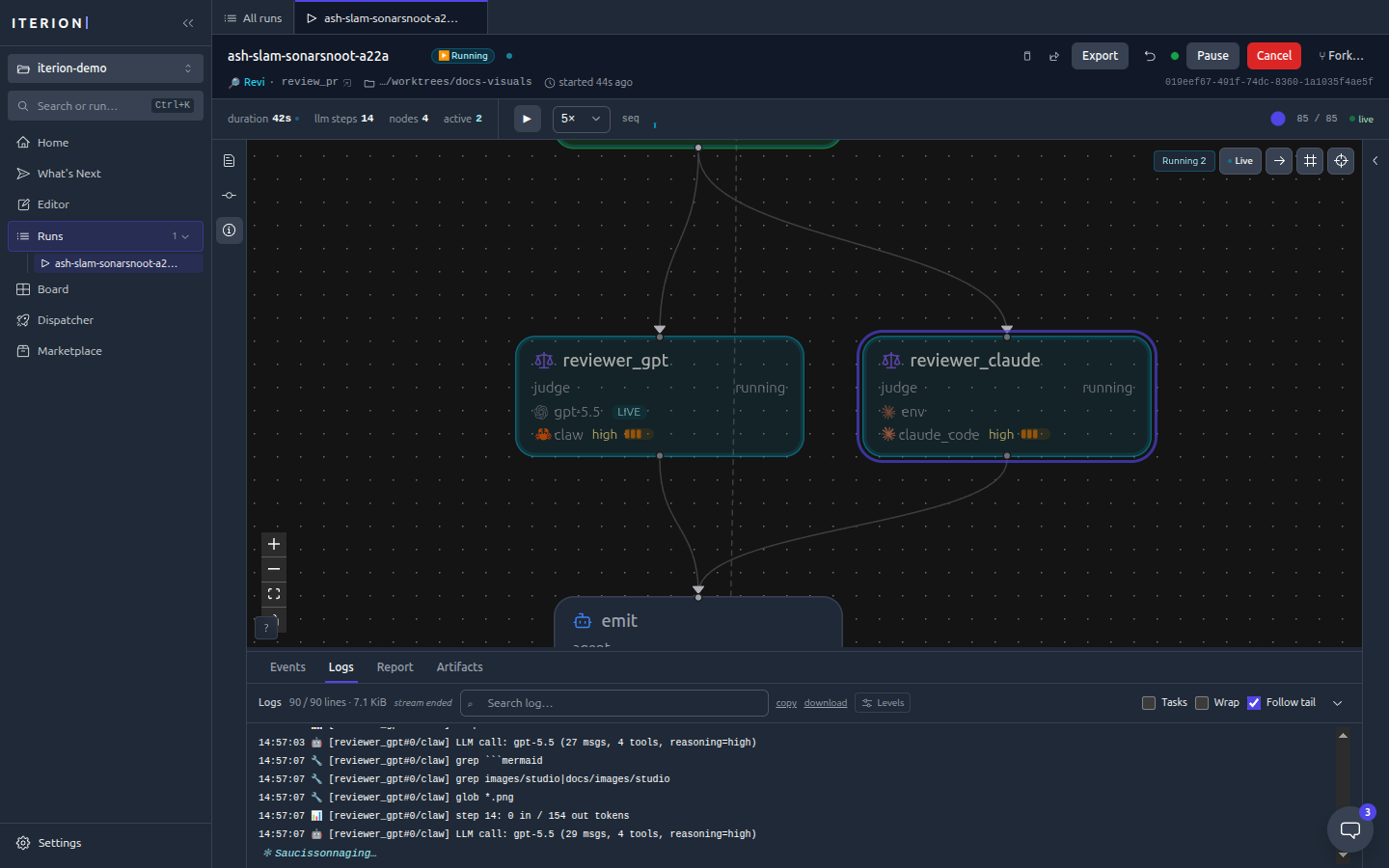
Run in flight — a running review with both cross-family judges executing in parallel (note the green Running badge and the live log tail).
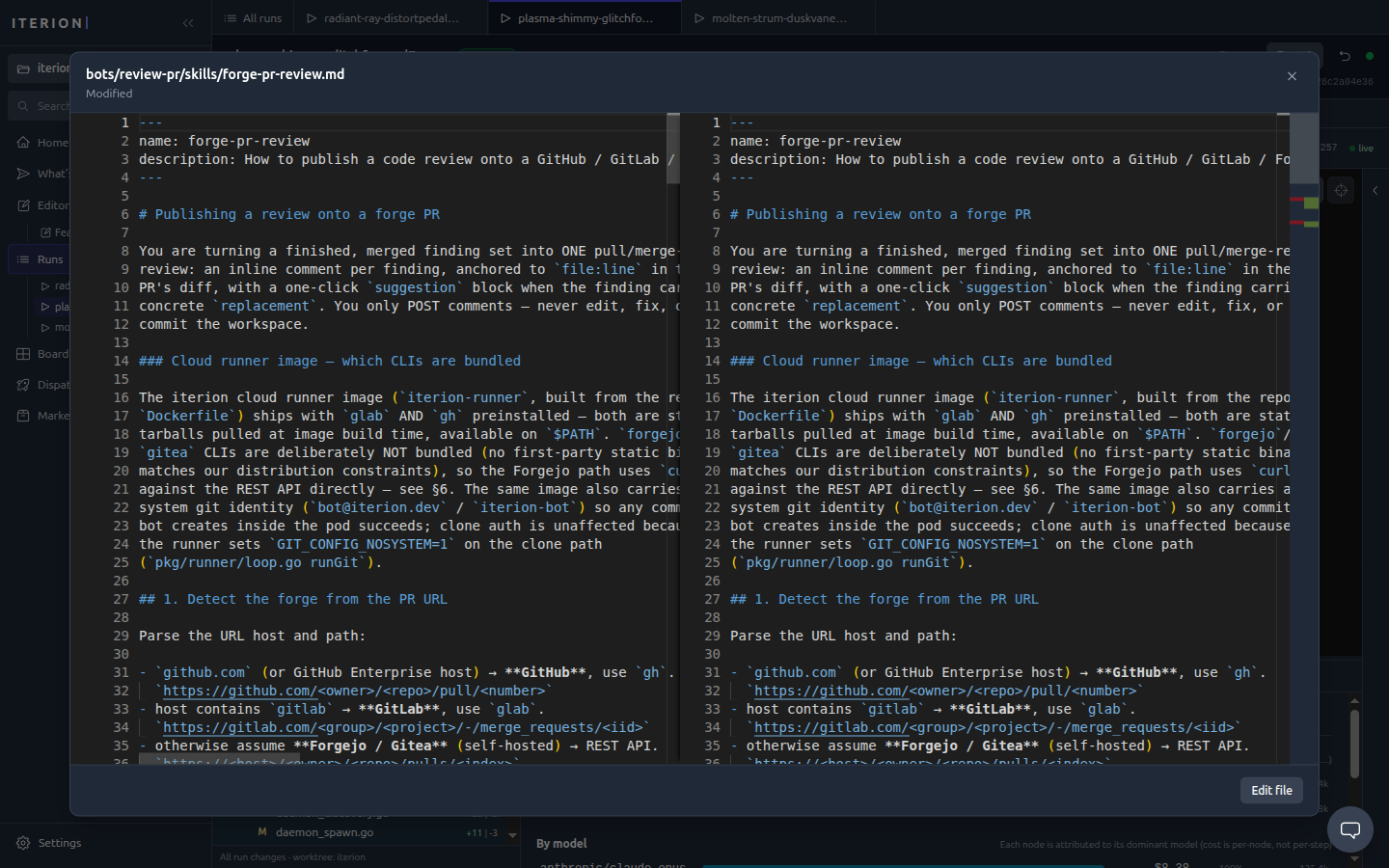
File diff — every file the run changed, opened in a side-by-side diff.
Commits & merge — the run's commits with a one-click squash-and-merge into your branch.
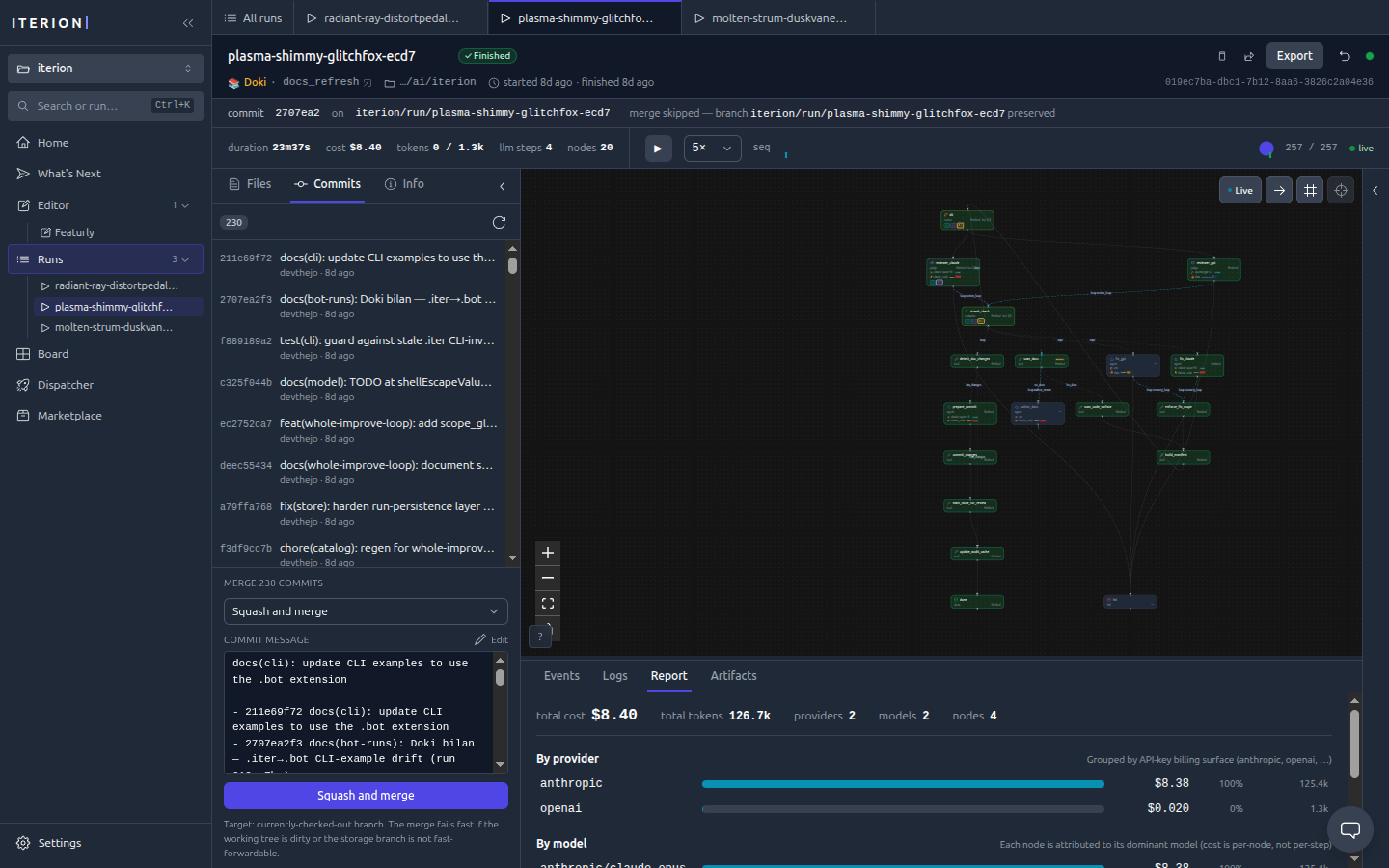
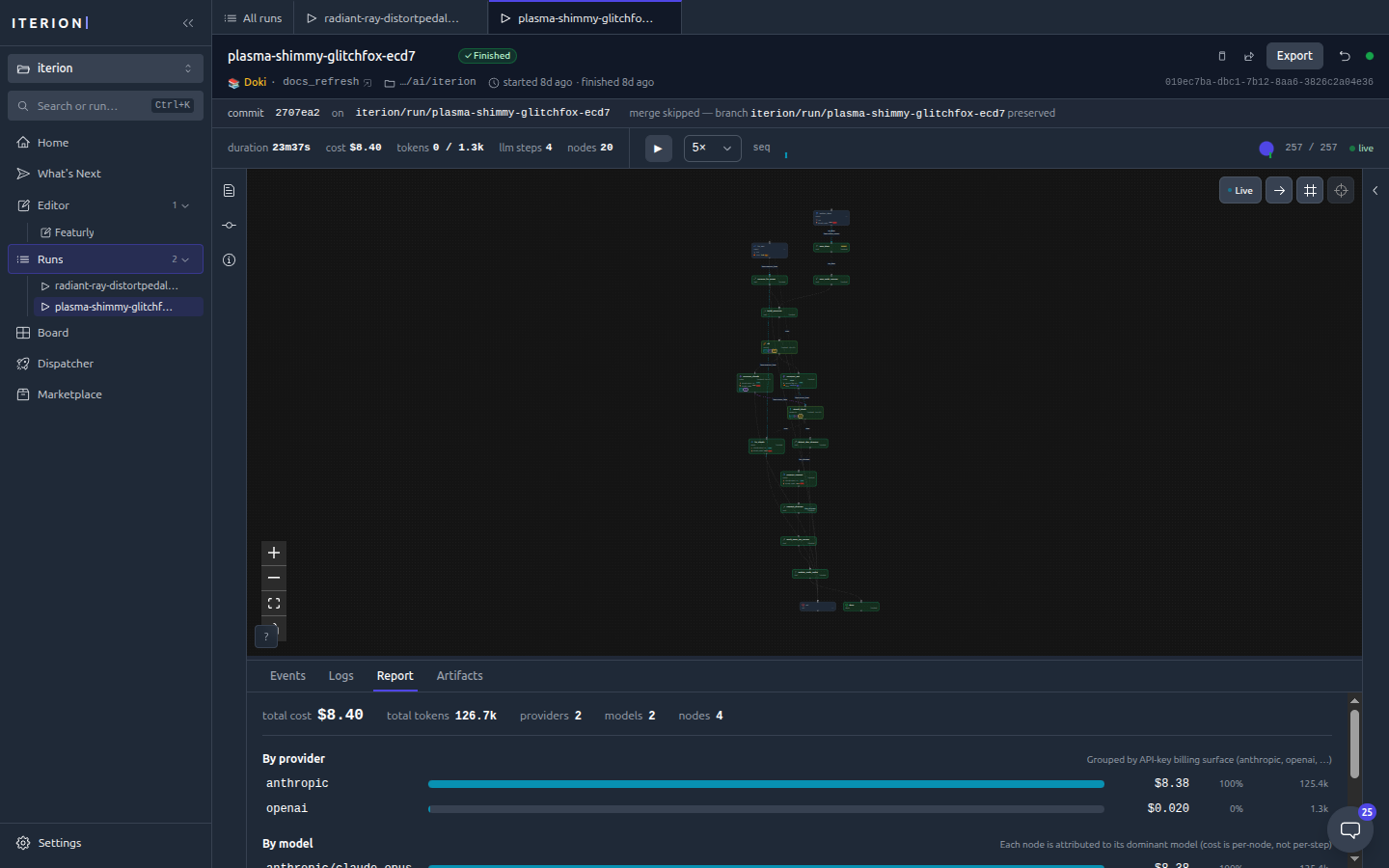
Cost report — per-provider and per-model cost attribution for a finished run.
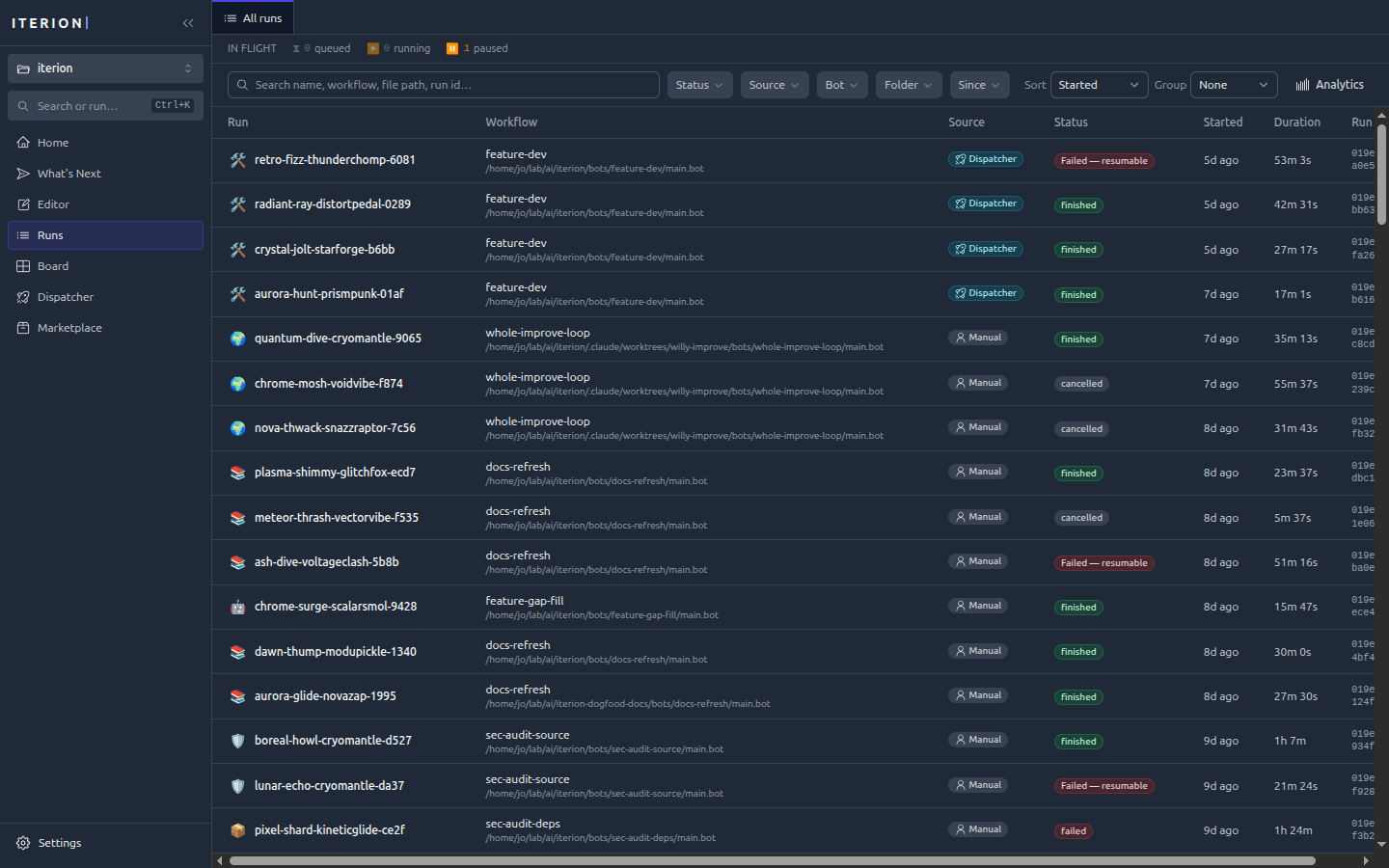
Runs list — every run with status, cost, and duration, filterable and sortable.
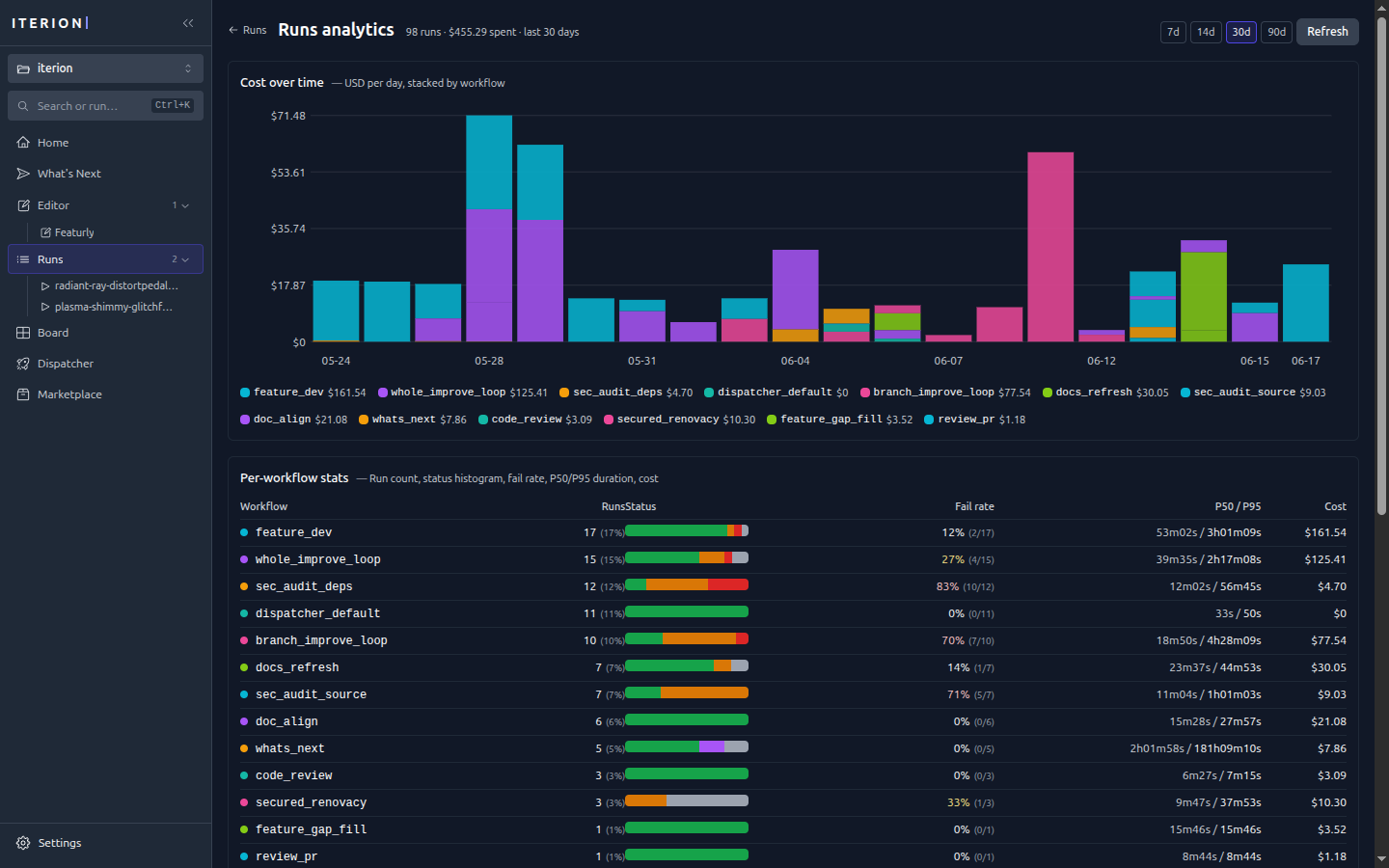
Run analytics (/insights) — cost over time stacked by workflow, plus per-workflow run counts, fail rates, and P50/P95 durations.
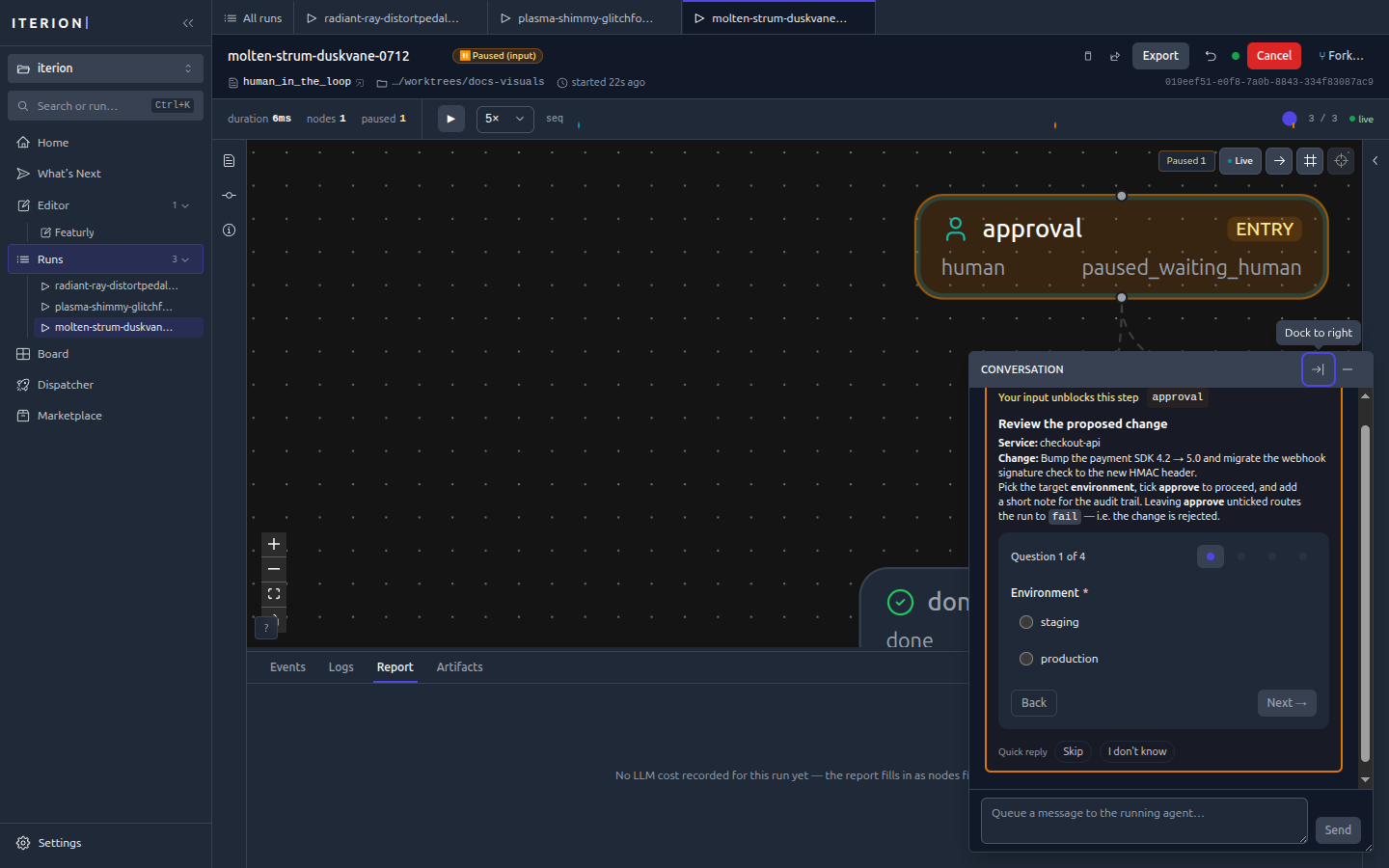
Human in the loop
Interaction form — when a run reaches a human node it pauses and renders a form (here a deploy-approval gate). See human-in-the-loop.md for the field-type → widget mapping and the four interaction modes.
Orchestration
Kanban board (/board) — the native tracker with drag-and-drop, labels, priorities, and per-card bot assignees, flowing across columns from inbox to done.
Dispatcher dashboard (/dispatcher) — live config, in-flight runs, and the retry queue.
What's Next — a conversational session that surveys the repo, proposes a roadmap, and watches the board it dispatches.
Workspace & configuration
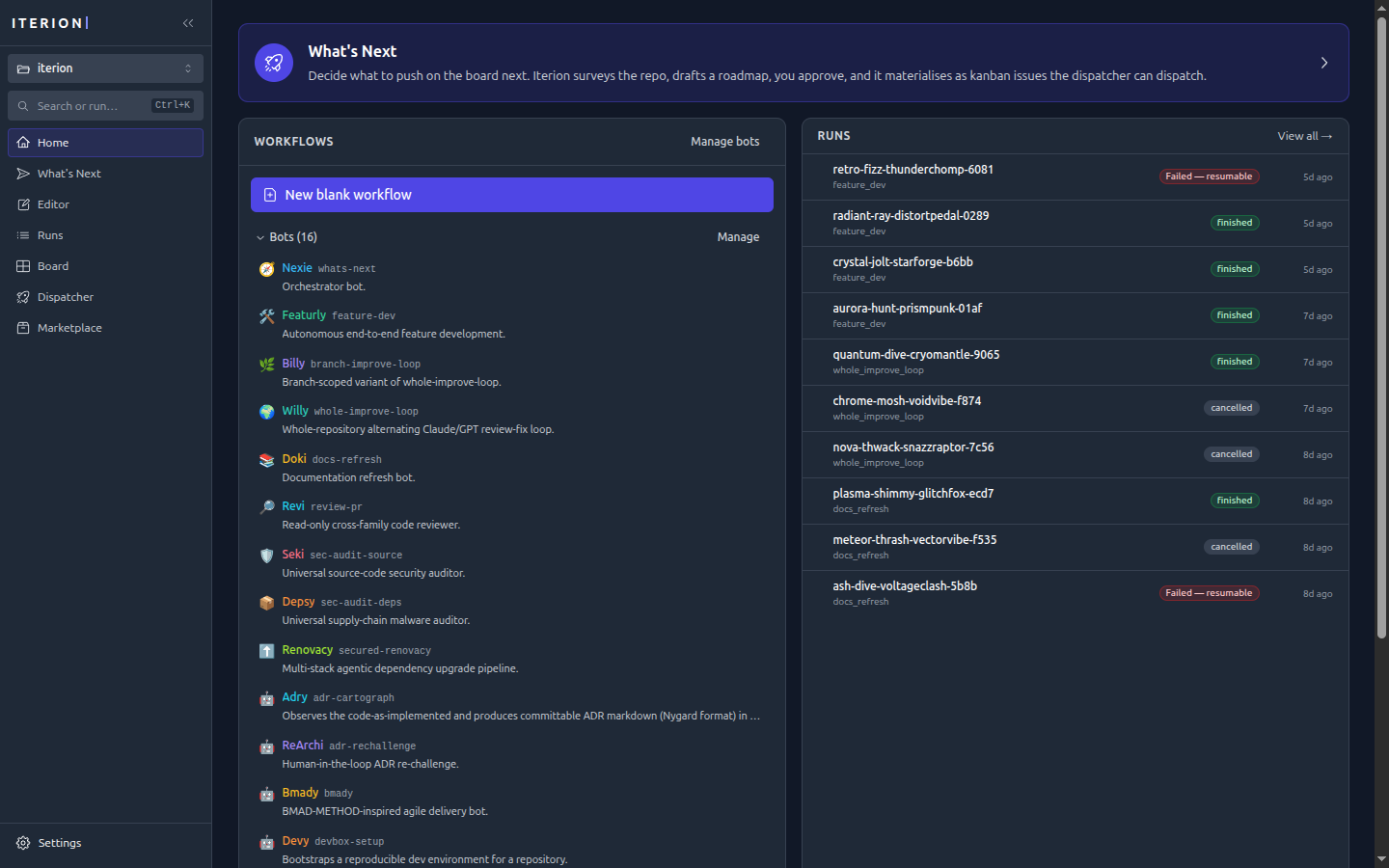
Home — the start page: a What's Next entry, the bot catalog, and recent runs.
Command palette (⌘/Ctrl+K) — jump to any view, run, or action; cycle the theme.
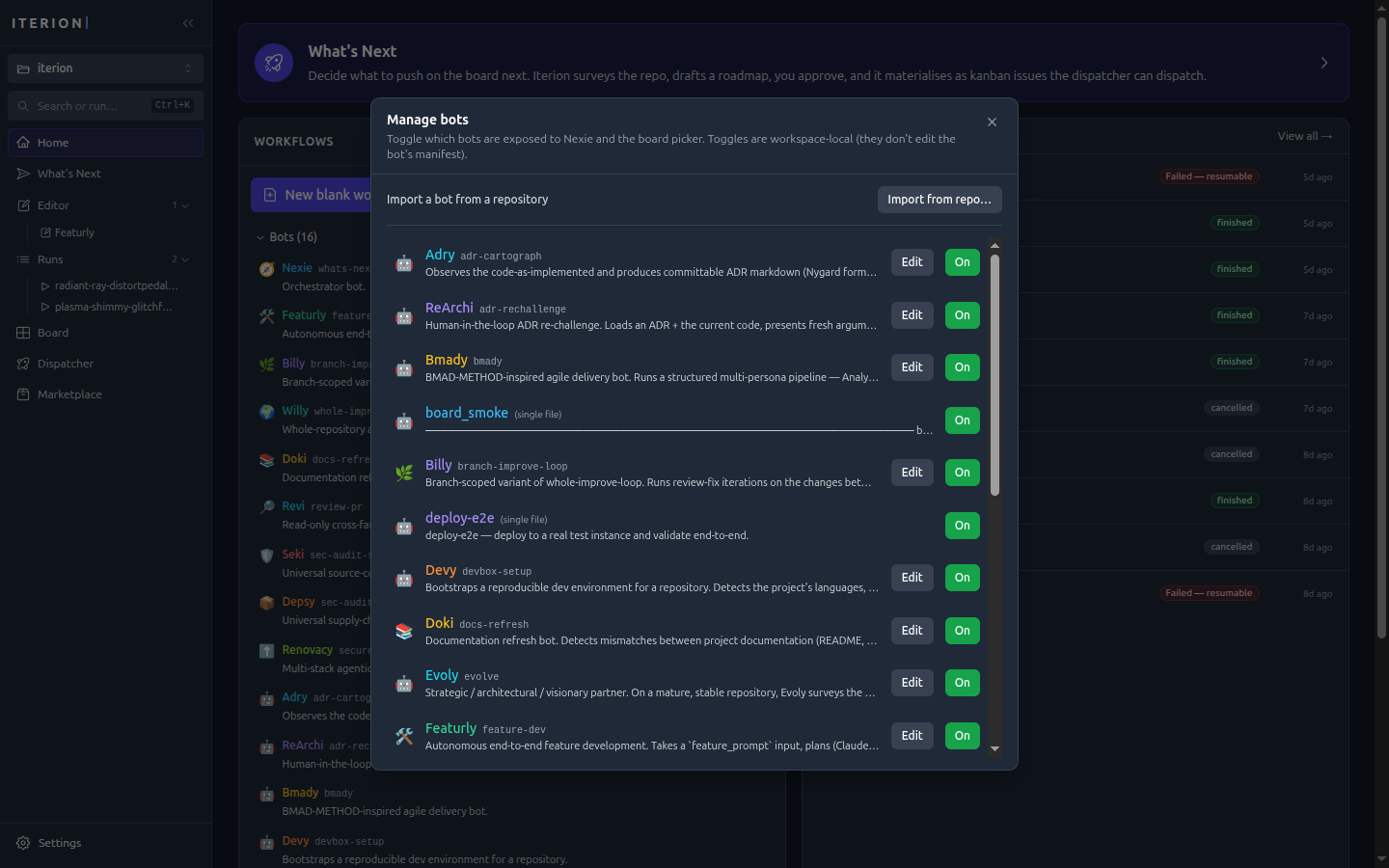
Bot catalog — enable/disable bots and import new ones from a repository.
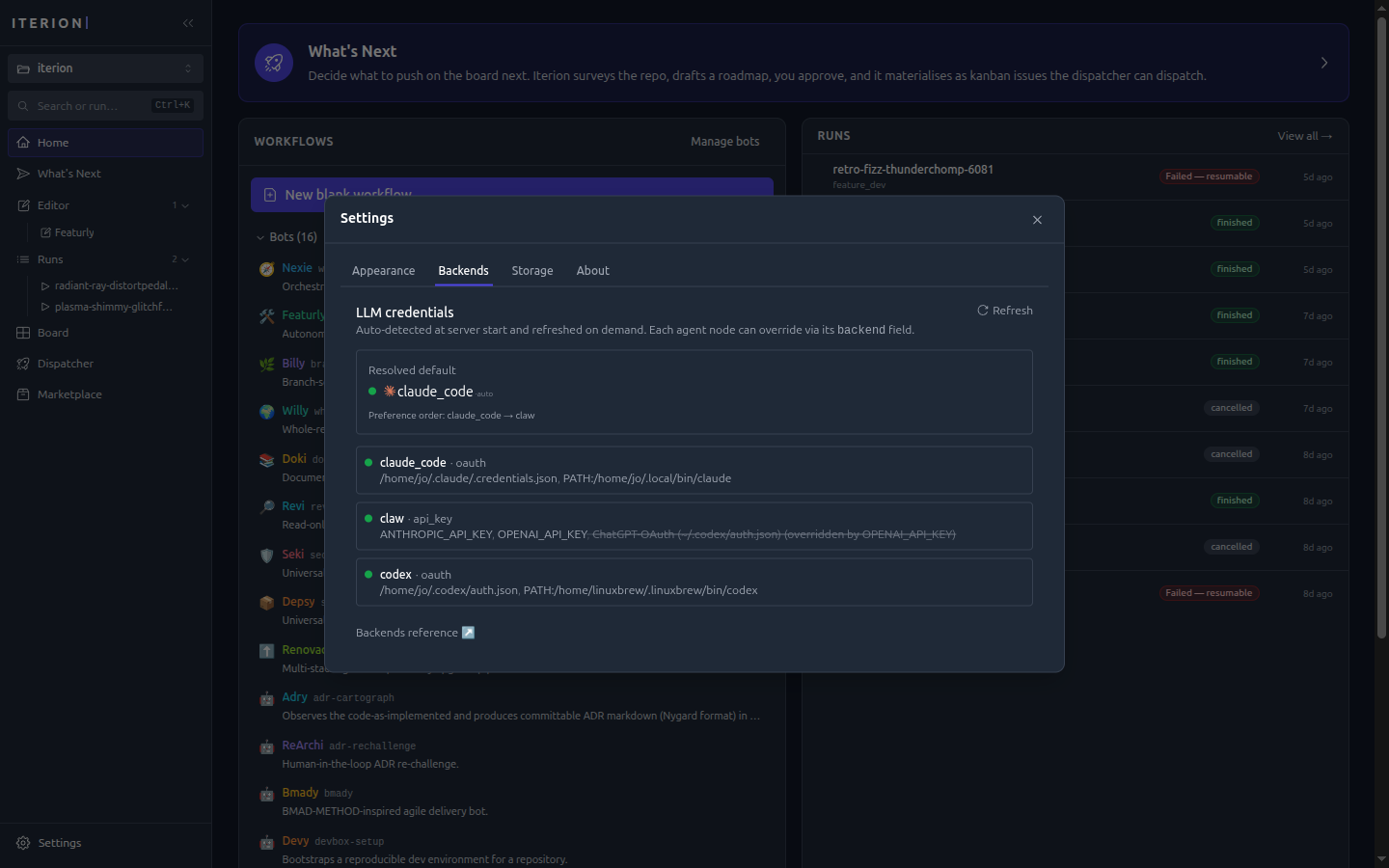
Backends (Settings → Backends) — auto-detected LLM credentials and the resolved default backend.
Appearance (Settings → Appearance) — theme (System / Light / Dark) and chat-input behaviour.
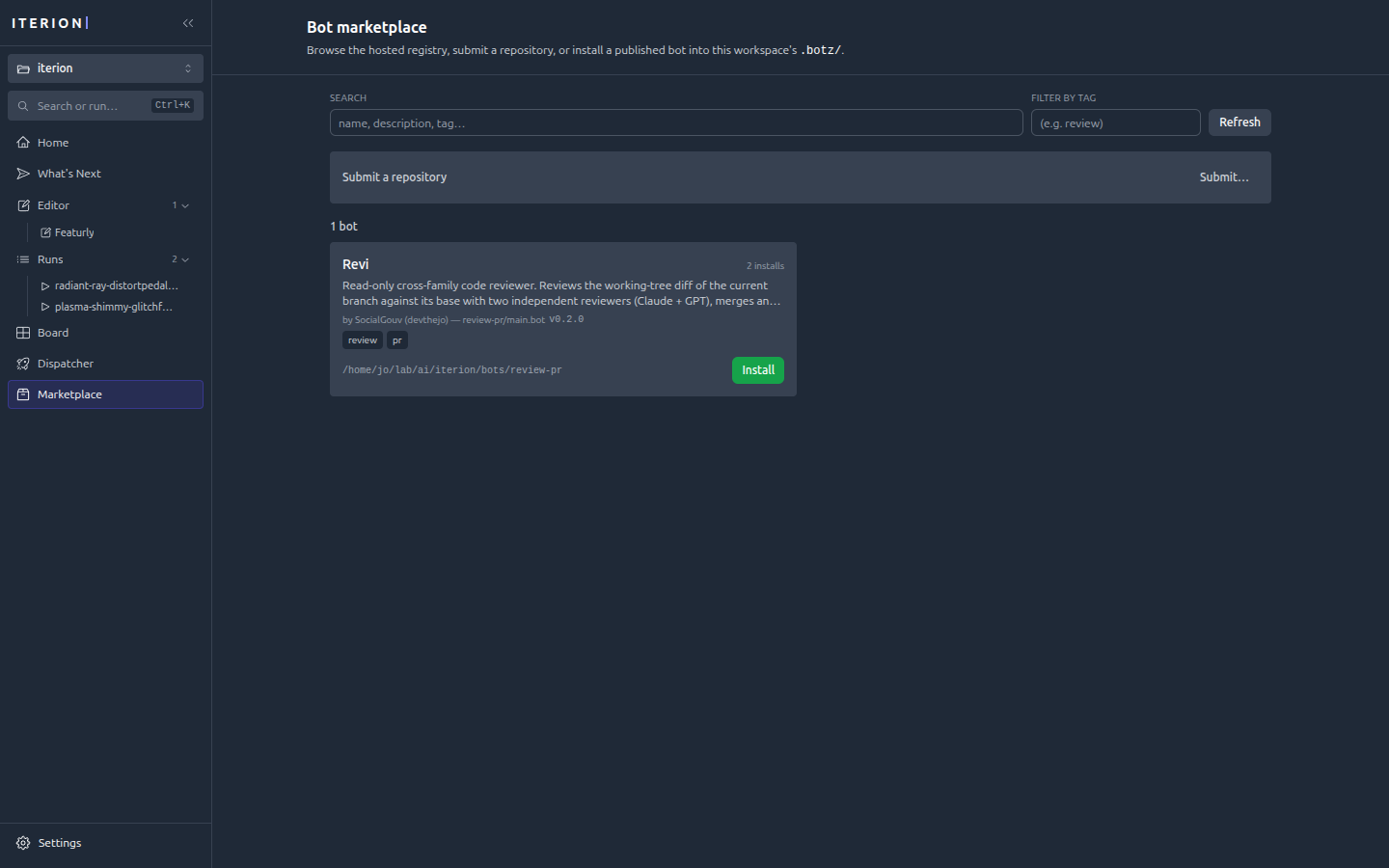
Marketplace — browse, submit, and install published .botz bundles.